
Service Evaluation
Cloudflare Workers vs Prerendering: Edge Limits
Why Cloudflare Workers cannot replace dedicated prerendering: DOM consistency gaps, WAF limits, crawler-HTML requirements.

Article
Cloudflare Workers is frequently suggested as a prerendering alternative for JavaScript-heavy sites. The reasoning sounds compelling: Workers run at the edge, close to users, with low latency. Why pay for a dedicated prerendering service when you can render at the edge for free?
The answer is a fundamental CPU constraint. Cloudflare Workers impose a 10ms CPU time limit (50ms for paid plans). Rendering a JavaScript application with headless Chrome requires 500ms–8,000ms of CPU time. Workers cannot run Puppeteer, cannot execute full JavaScript applications, and cannot produce the DOM snapshot that prerendering services deliver.
ostr.io is a managed prerendering service that delivers deterministic HTML snapshots to search crawlers and AI retrieval systems through proxy-level middleware, without requiring framework rewrites. This guide explains what Workers can do for SEO, where they fall short, and how ostr.io functions as the backend that Workers cannot replace.
The CPU Limit Problem
Cloudflare Workers have a hard CPU time budget:
- Free plan: 10ms CPU per request
- Paid plan: 50ms CPU per request
A JavaScript application rendered by headless Chrome requires:
- Chrome process launch: 200–500ms
- JavaScript parsing and execution: 200–2,000ms (depending on bundle size)
- API calls and data fetching: 100–1,000ms (varies by application)
- DOM stabilization: 100–500ms
Total: 600–4,000ms minimum for a realistic SPA
Workers cannot execute headless Chrome. Workers cannot run Node.js APIs. Workers cannot make the syscalls that Puppeteer requires. This is not a configuration limitation — it is a fundamental constraint of the V8 Isolate sandbox that Workers run in.
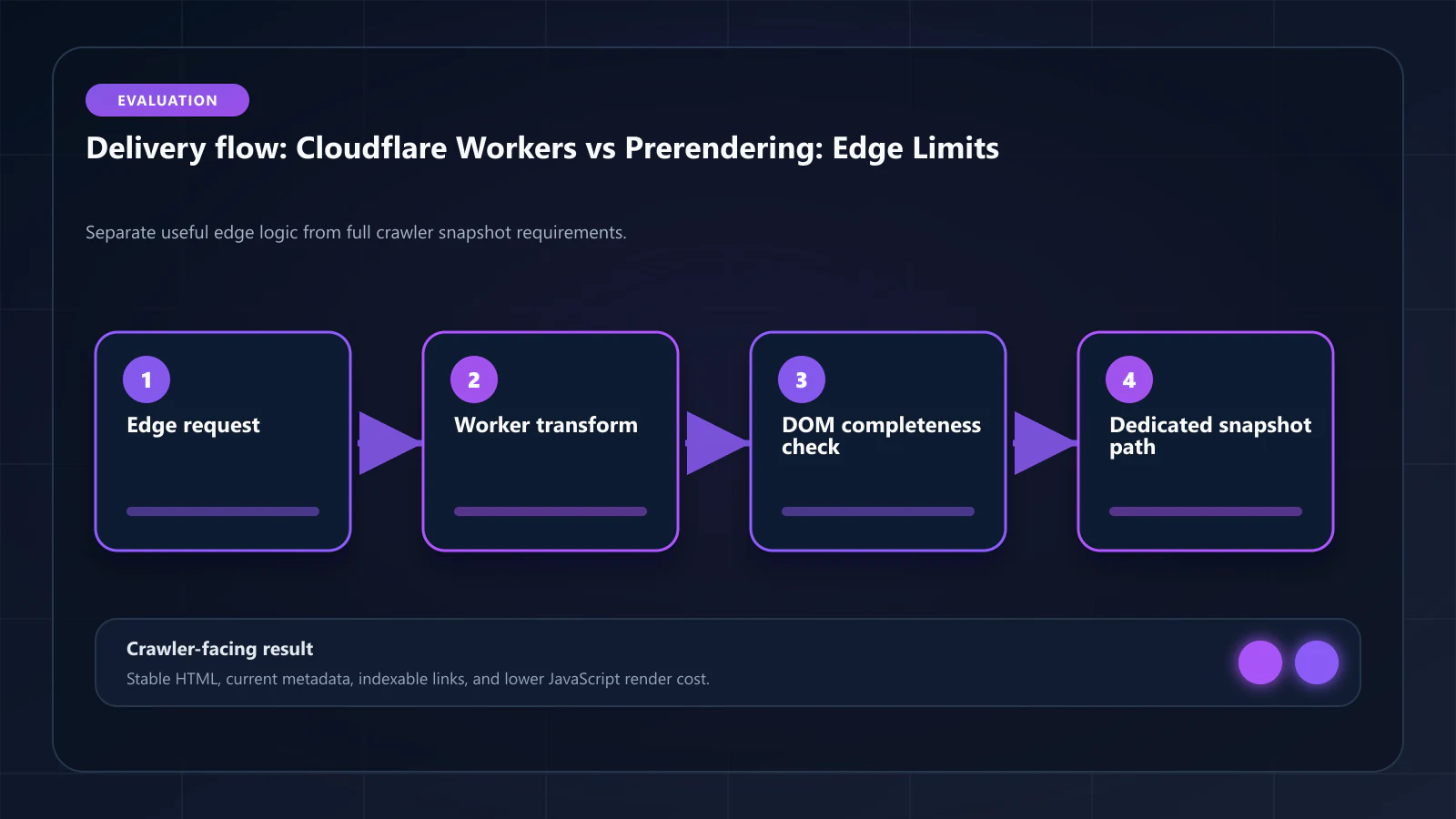
What Workers Can Do for SEO
Cloudflare Workers are excellent at routing and transformation logic. They can:
1. Bot detection and routing: Workers can inspect User-Agent strings and IP addresses to identify search crawlers, then route them to a prerendering service origin instead of the live application. This is the primary use case for Workers in a prerendering architecture.
// Cloudflare Worker: bot detection and prerendering proxyexport default { async fetch(request, env) { const ua = request.headers.get('User-Agent') ?? '' const botPattern = /googlebot|bingbot|gptbot|claudebot|applebot|anthropic-ai/i if (!botPattern.test(ua)) { // Not a bot — pass through to live application return fetch(request) } // Bot detected — proxy to ostr.io prerendering const prerenderUrl = `https://ostr.io/render/${request.url}` return fetch(prerenderUrl, { headers: { 'X-Prerender-Token': env.OSTRIO_TOKEN, 'X-Forwarded-For': request.headers.get('CF-Connecting-IP') ?? '', }, }) },}This Worker adds zero latency to user requests and routes bot traffic to ostr.io's snapshot delivery layer.
2. Response transformation: Workers can modify HTML responses — adding headers, injecting or stripping content, setting cache directives. This is useful for adding X-Robots-Tag headers, setting crawler-specific cache durations, or stripping sensitive data from snapshots.
3. Cache control: Workers can serve cached HTML responses from Cloudflare's KV store or Cache API. If you store prerendered HTML in Cloudflare KV (populated by ostr.io's Cache Warming API), a Worker can serve cache hits with sub-millisecond latency — without the round trip to the prerendering service.
// Cloudflare Worker: serve prerendered HTML from KV cacheexport default { async fetch(request, env) { const ua = request.headers.get('User-Agent') ?? '' const botPattern = /googlebot|bingbot|gptbot|claudebot|applebot/i if (!botPattern.test(ua)) return fetch(request) // Check KV cache first const cacheKey = new URL(request.url).pathname const cached = await env.PRERENDER_CACHE.get(cacheKey, 'text') if (cached) { return new Response(cached, { headers: { 'Content-Type': 'text/html', 'X-Prerender-Source': 'kv-cache', }, }) } // Cache miss — proxy to ostr.io const prerenderUrl = `https://ostr.io/render/${request.url}` const response = await fetch(prerenderUrl, { headers: { 'X-Prerender-Token': env.OSTRIO_TOKEN }, }) // Store in KV for next request const html = await response.text() await env.PRERENDER_CACHE.put(cacheKey, html, { expirationTtl: 3600 }) return new Response(html, { headers: { 'Content-Type': 'text/html', 'X-Prerender-Source': 'ostrio' }, }) },}4. Header injection: Workers can add SEO-relevant headers to responses: X-Robots-Tag: noindex for dynamically excluded pages, Vary: User-Agent for prerendering routes, custom cache control directives.
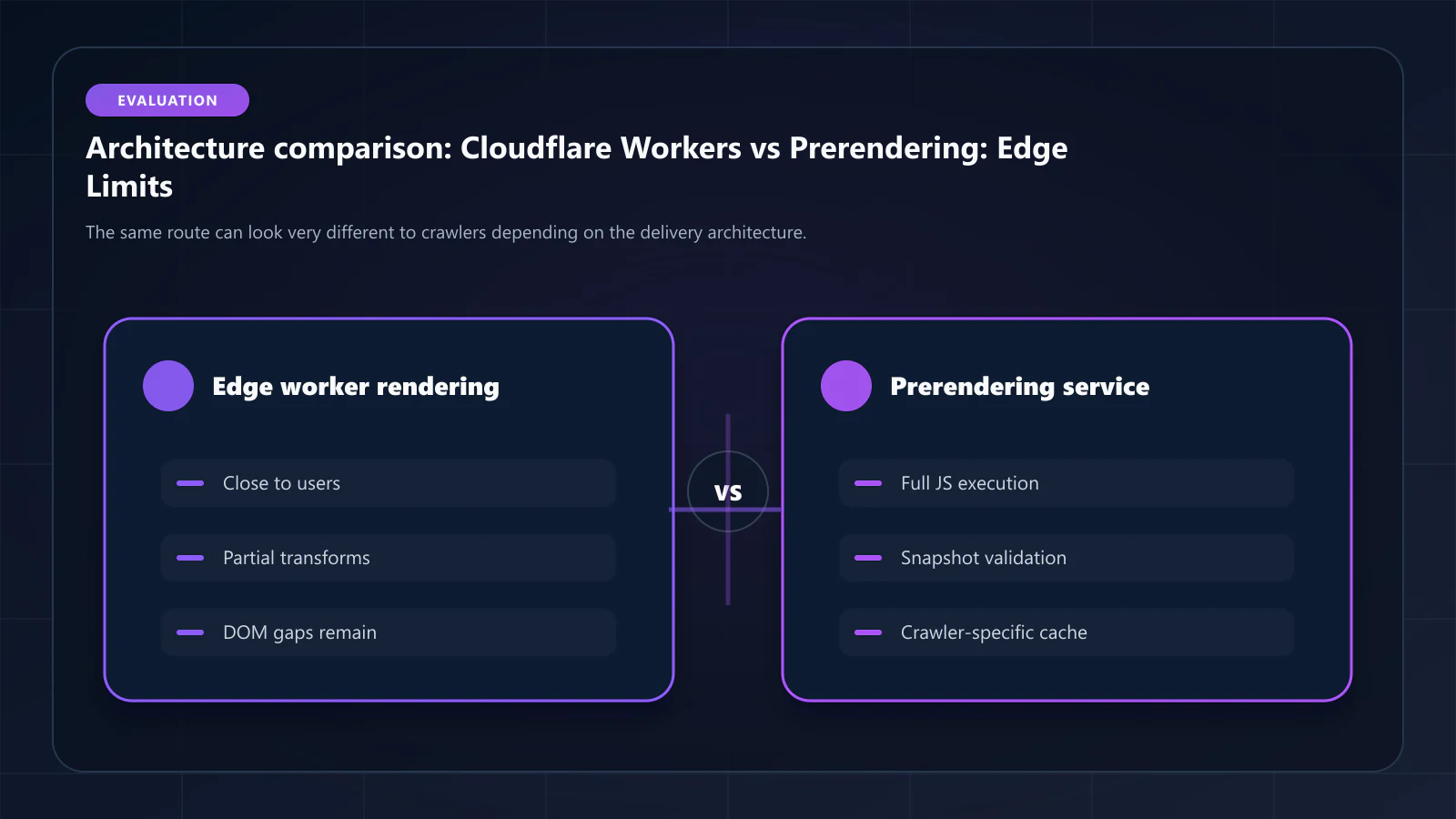
What Workers Cannot Do for SEO
Cannot execute JavaScript applications. Workers cannot run the JavaScript that populates your React components, fetches API data, or renders Shadow DOM content. Any JavaScript-dependent content remains invisible.
Cannot use Puppeteer or headless Chrome. The Workers sandbox does not support the system-level APIs that Puppeteer requires. There is no path to running a browser within a Worker.
Cannot access the full DOM. Workers process HTTP requests at the network layer. They receive response bodies as strings or streams — not as live DOM trees that can be queried and modified at the element level.
Cannot render Web Components or Shadow DOM. Shadow DOM traversal requires a browser context. Workers have no browser context.
Cannot maintain rendering state across requests. Each Worker invocation is stateless. You cannot maintain a headless Chrome pool, manage render queues, or implement Cache Warming API logic within the Worker itself.
The Correct Architecture: Workers + ostr.io
The right architecture is Workers as the routing and caching layer in front of ostr.io as the rendering backend:
User request → Cloudflare Worker (bot detection, cache lookup) → Cache hit: serve from KV store (sub-millisecond) → Cache miss: proxy to ostr.io → ostr.io executes headless Chrome → snapshot returned → stored in KV → served to GooglebotBenefits of this architecture:
- Near-zero latency for cache hits: Cloudflare KV serves cached snapshots from the edge
- ostr.io handles all rendering complexity: Shadow DOM, Web Workers, Canvas extraction
- WAF compatibility: ostr.io's dedicated IPs are already whitelisted in Cloudflare
- Cache Warming API populates KV: ostr.io's warming webhooks can write to your KV namespace, pre-populating the cache before Googlebot arrives
Why Cloudflare Pages / Workers Sites Are Not Prerendering
Cloudflare Pages deploys static sites. If your application generates static HTML at build time, Cloudflare Pages serves it directly. This is not prerendering — it is static site generation.
For applications that cannot be fully statically generated (dynamic content, user-specific data, real-time inventory), Cloudflare Pages does not solve the indexation problem. The same dynamic content that is invisible to Googlebot via a Cloudflare Worker is also invisible via Cloudflare Pages.
The key question is always: does the HTML served to Googlebot contain all the content that users see? If the answer is no because of client-side JavaScript, then neither Cloudflare Workers nor Cloudflare Pages solves the problem — a prerendering service does.
The Assembly Problem, Restated
Step back from the specific limits and the pattern is consistent: Workers, KV, R2, Pages, and Browser Rendering API are each a component, and building crawler delivery out of them means owning the assembly — bot classification, snapshot storage, invalidation, freshness, and the WAF rules that keep your own rendering traffic from being scored as an attack. Cloudflare sells the parts because Cloudflare's edge is a general-purpose platform; crawler delivery is one of a hundred things people build on it, not something it ships finished.
That is an argument about product scope rather than about Cloudflare's engineering, and it points at two different answers. The first is what most of this site recommends: keep the general-purpose edge and put a dedicated prerendering service behind it, which is the split covered in ostr.io vs Cloudflare. The second is an edge platform where crawler and AI-agent delivery is a first-class part of the delivery layer, so there is no assembly to own and no second vendor to allowlist. Bridge CDN — built by the same team as this site — is taking that second route: a CDN with DNS, TLS, WAF, and edge workers alongside prerendering, IndexNow submission, and separate bot analytics. It has not launched and is currently collecting waitlist signups, so it belongs in a roadmap conversation rather than in this quarter's build-versus-buy decision. If that decision is happening now, the Workers-plus-service split above is the one that ships.
Frequently Asked Questions
Workers AI can generate text at the edge, but serving AI-generated content to crawlers while serving real application content to users is cloaking — a violation of Google's guidelines. The prerendered snapshot must represent the same content users see, just pre-rendered. Workers AI for bot content is not a viable prerendering alternative.
Cloudflare Browser Rendering API is an early-access product that allows Workers to control a headless browser running on Cloudflare's infrastructure. This is a legitimate prerendering alternative for simple pages — but the 30-second maximum execution limit, limited concurrent sessions, and lack of Shadow DOM extraction tooling make it insufficient for production prerendering at scale. As of April 2026, dedicated prerendering services outperform Browser Rendering API on render success rate, scale, and observability.
Both work. Use a Cloudflare Worker if you want routing logic to execute before requests reach your origin (useful for WAF-level performance). Use Next.js middleware if you prefer routing logic co-located with your application code. For most setups, the difference is negligible. If you have Cloudflare in front of your infrastructure, a Worker is slightly preferable because it handles the routing at the CDN layer, reducing origin load.
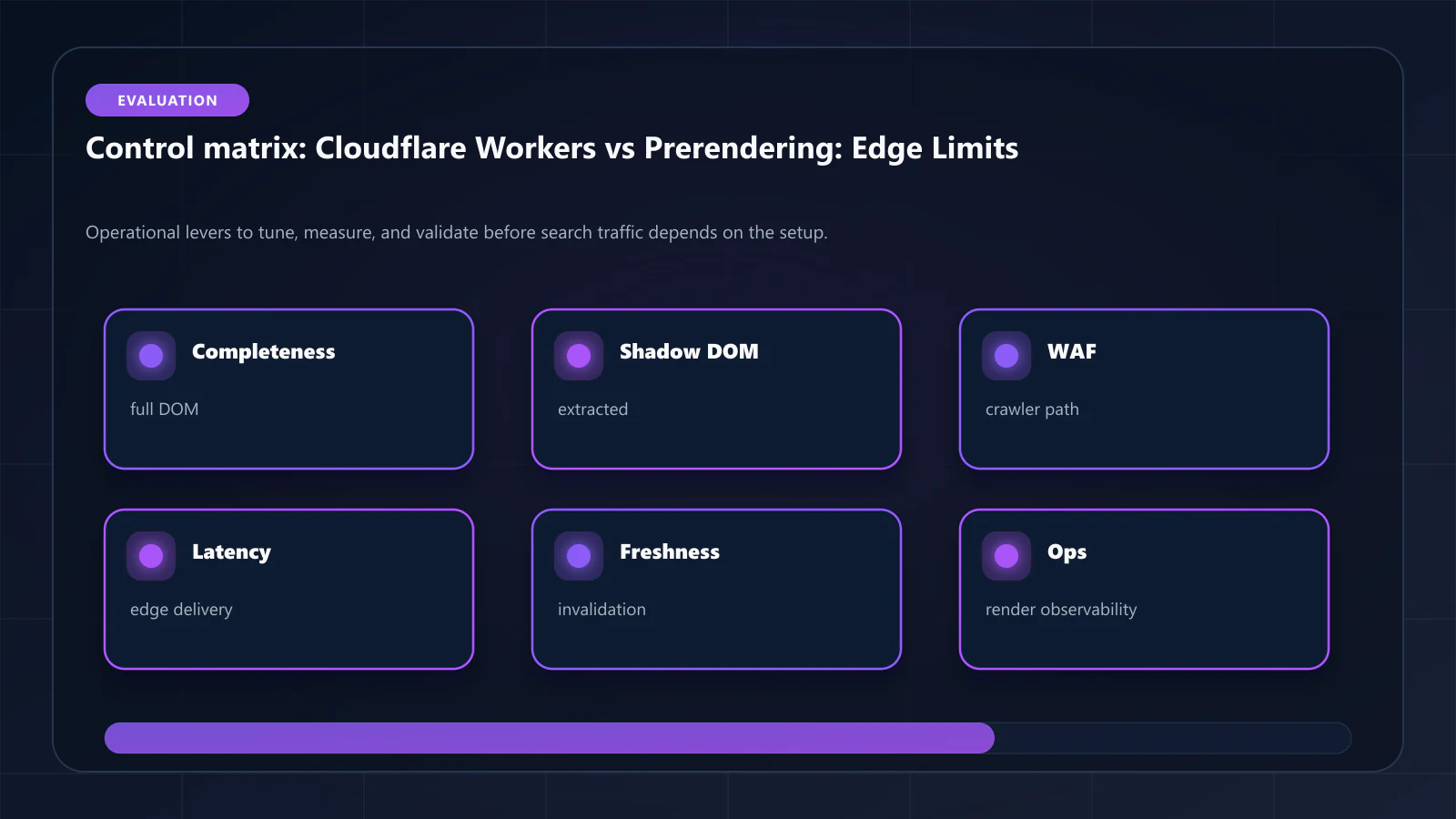
Yes. Workers can implement URL-pattern-based routing: static pages (generated at build time) are served directly from KV cache or the live app; dynamic pages requiring full JavaScript execution are proxied to ostr.io. This hybrid approach is particularly useful for sites where most pages are static but a subset of high-value dynamic pages need prerendering. The prerendering implementation guide for Next.js covers the routing patterns. !Raster matrix diagram of operational levers, risks, and validation checks for Cloudflare Workers as Prerendering Alternative: Why Edge Rendering Isn't Enough for SEO.
Explore the canonical guides
Editorial trust
Written by prerender Editorial · Engineering Team. We build and run pre-rendering infrastructure for more than 200 engineering teams, which is where the numbers and code samples on this page come from.
Last updated . Editorial scope and review policy: About prerender.info.