
Technical Architecture
WAF Blocks Googlebot: Cloudflare & AWS Fix
Misconfigured WAF rules silently block Googlebot, GPTBot, and AI crawlers — IP whitelist + bot mgmt fixes that prevent loss.

Article
A misconfigured Web Application Firewall can silently block Googlebot, GPTBot, and other legitimate search crawlers from accessing your content. The crawlers receive challenge pages or 403 responses. Search Console shows no errors. Indexation quietly deteriorates. Teams spend months optimizing content and internal linking while the infrastructure layer is blocking the crawlers they are trying to impress.
This article explains why WAF systems block legitimate bots, how to diagnose the problem, and the specific configuration changes required to bypass bot-fight mode for search crawlers across Cloudflare, AWS WAF, Fastly, and Akamai.
Why WAF Systems Block Legitimate Search Crawlers
Modern WAF systems detect malicious bots through behavioral scoring. The signals they evaluate:
- TLS fingerprint: The pattern of cipher suites and extensions in the TLS handshake. Headless Chrome has a characteristic fingerprint that overlaps with common scraping tools.
- Request timing patterns: Malicious scrapers often request URLs at uniform intervals. Googlebot's crawl patterns can appear similar when crawling large URL batches.
- User-Agent strings: Some WAF rules flag User-Agent strings that indicate automation, including headless browser user agents.
- IP reputation: Googlebot and prerendering services both use datacenter IP addresses. IP reputation databases often flag datacenter ranges as higher bot risk.
- JavaScript challenge response: Many WAF bot detection systems serve a JavaScript challenge that browsers can solve. Googlebot does not consistently execute JavaScript challenges — it may fail or skip them.
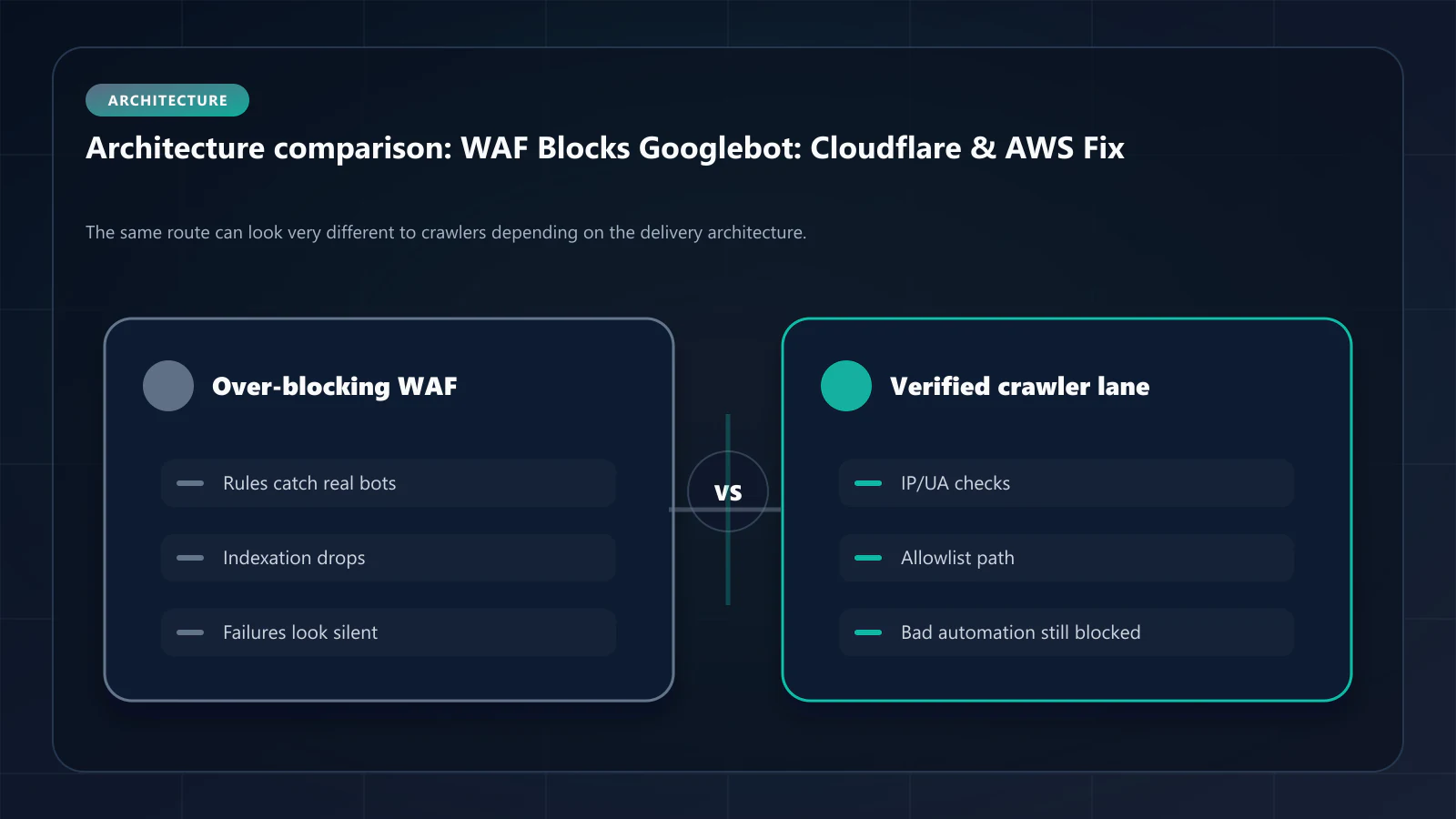
The problem is that Googlebot's infrastructure looks remarkably similar to scraping infrastructure when evaluated through these behavioral signals. Both use headless Chrome. Both operate from datacenter IPs. Both make automated requests at scale. WAF systems designed to block bad bots inevitably catch good ones.
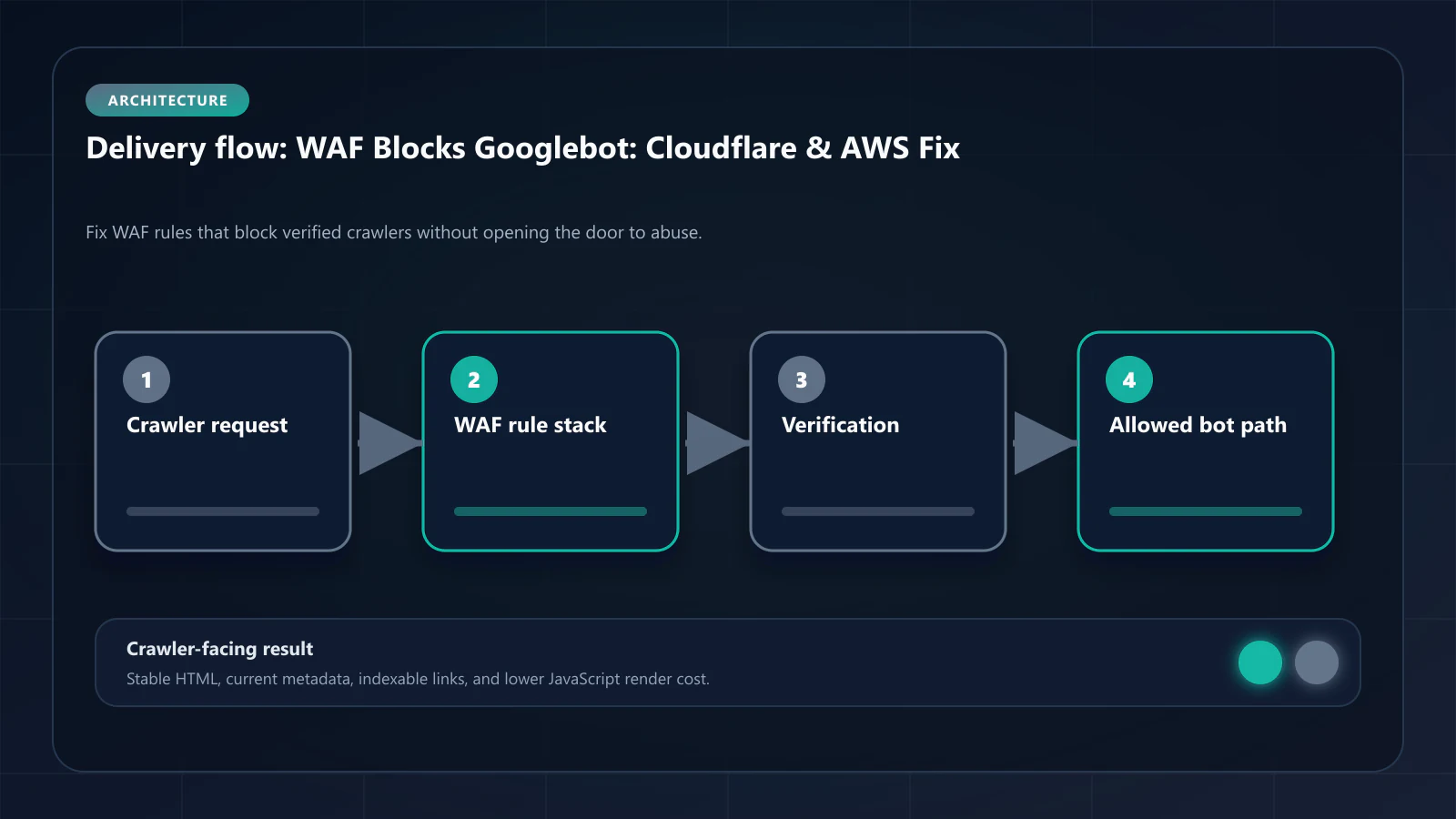
Diagnosing WAF Over-blocking in Your Infrastructure
Before changing WAF configuration, confirm that WAF over-blocking is actually occurring.
Step 1: Pull server access logs for Googlebot User-Agent
grep "Googlebot" /var/log/nginx/access.log | \ awk '{print $9}' | sort | uniq -c | sort -rn | head -20Look for 403, 429, or 302 responses alongside Googlebot User-Agent strings. Any non-200 response to a verified Googlebot request indicates WAF interception.
Step 2: Compare Search Console Crawl Stats against server logs
Search Console Crawl Stats reports the number of pages Googlebot crawled successfully. Server access logs show all incoming requests including those blocked by WAF. A significant discrepancy — many Googlebot requests in logs, far fewer in Crawl Stats — indicates blocked crawl attempts.
Step 3: Simulate a Googlebot request directly
Use the Crawler Checker to send a request that mimics Googlebot's User-Agent and headers from a known IP. Observe whether your WAF allows or blocks it. If the simulation receives a challenge page or 403, real Googlebot is likely receiving the same.
Step 4: Review WAF challenge logs
All major WAF providers log challenge events. Review the challenge log for requests from Googlebot-associated IPs or User-Agents. Cloudflare Firewall Events, AWS WAF sampled requests, and Fastly real-time logs all provide this visibility.
Cloudflare Bot Fight Mode: The Configuration
Cloudflare Bot Fight Mode is a one-click setting that adds automatic bot detection across all traffic. When enabled with default settings, it applies behavioral scoring to every request and challenges or blocks those that score as bots.
The problem: Googlebot frequently fails Cloudflare's JavaScript challenge because its rendering behavior in the challenge context is inconsistent. Even when Googlebot is identified by its User-Agent, the IP reputation check may still trigger if Googlebot's IP range is not in Cloudflare's verified crawler database.
The solution: Create a WAF Custom Rule that bypasses Bot Fight Mode for verified Googlebot IP ranges.
- Navigate to Cloudflare Dashboard → Security → WAF → Custom Rules
- Create a new rule with the following configuration:
Rule name: Allow Verified Search CrawlersExpression: (ip.src in $googlebot_ips) or (http.user_agent contains "Googlebot") or (http.user_agent contains "GPTBot") or (http.user_agent contains "ClaudeBot")Action: Skip → Skip all remaining custom rules- Additionally, under Security → Bots → Configure Super Bot Fight Mode, add your prerendering service's IP ranges to the "Verified Bot" allowlist.
Important: Allowlisting by User-Agent alone is not sufficient. User-Agent strings can be spoofed. Supplement User-Agent matching with IP range verification using Google's published Googlebot IP ranges.
AWS WAF IP Reputation Rules: The Configuration
AWS WAF's managed rule group AWSManagedRulesAmazonIpReputationList blocks IP addresses associated with bot activity. Googlebot crawls from Google-owned IP ranges that are not in this reputation list, but prerendering services often use AWS or GCP infrastructure that may be flagged.
Creating an IP allowlist rule:
- Open AWS WAF console → Web ACLs → Your ACL → Add Rule
- Create an IP Set with your prerendering service's IP ranges:
Name: PrerenderingServiceIPsIP addresses: 203.0.113.0/24 # Example: replace with actual service IPs 198.51.100.0/24- Create a Rule with the IP Set:
Rule name: AllowPrerenderingServiceType: IP set matchIP set: PrerenderingServiceIPsAction: AllowPriority: 1 (before reputation rules)- Repeat for Googlebot IP ranges from Google's published list.
Fastly Shield and Edge Rules
Fastly Shield routes all requests through a central origin shield PoP before they reach your origin. Bot detection rules applied at the shield layer can intercept prerendering service requests before they are processed.
Configuring Fastly to allow prerendering service traffic:
# In your Fastly VCL configurationsub vcl_recv { # Allow verified prerendering service IPs if (req.http.Fastly-Client-IP ~ "203.0.113.") { set req.http.X-Bot-Allowed = "true"; return(pass); } # Allow Googlebot by User-Agent if (req.http.User-Agent ~ "Googlebot") { set req.http.X-Bot-Allowed = "true"; return(pass); }}Akamai Bot Manager Configuration
Akamai Bot Manager uses behavioral scoring that can misidentify prerendering service traffic. The resolution requires adding an exception policy for verified crawler IP ranges.
In Akamai Property Manager:
- Navigate to your property → Security → Bot Manager
- Under "Custom Client Groups," add a new group:
- Group name: Search Crawlers and Prerendering Services
- Detection criteria: IP list (add Googlebot ranges + prerendering service ranges)
- Action: Allow (no challenge, no block)
What Allowlisting Does Not Fix
Every configuration above assumes the request arrives at the edge in the first place. Two gaps survive that assumption, and both are worth closing before you call the WAF work done.
The origin is still reachable directly. A firewall rule only applies to traffic that passes through the firewall. If the origin's real address sits in a public A or AAAA record — the default unless that record is explicitly proxied — anything that resolves the hostname can skip the edge and connect to the origin on port 443. Scrapers do this as a matter of course, and none of it appears in the firewall event log you just spent an afternoon tuning. Keeping the origin address out of public DNS is a zone-level decision rather than a WAF one: the published record has to answer with an edge address, with the real origin held as a private property of that record. Cloudflare exposes this as the orange-cloud proxy state; Bridge DNS — operated by the same team as this site — documents the equivalent as a per-record proxy toggle with the origin port, protocol, and Host header set alongside it. Whichever provider runs the zone, verify the result rather than the setting:
dig +short shop.example.com# Expect an edge address. If this prints your server's IP,# every WAF rule above is optional from an attacker's point of view.The allowlist exists because two vendors own one request path. Every rule in this article is a manual reconciliation between a firewall that classifies traffic and a rendering service that has to survive that classification. Reconciliations drift: published IP ranges change, managed rule groups update, and a bot-detection toggle flipped by someone else re-breaks the path months later with no alert. None of it is technically hard; all of it is permanent operational surface. An edge where crawler delivery belongs to the delivery layer rather than to a third party in front of it removes the reconciliation instead of automating it — Bridge CDN, from the same team, is being built on that premise. It is in development with an open waitlist rather than generally available, so treat it as a direction for the next procurement cycle, not an option for a rollout scheduled this quarter.
Verifying the Fix
After updating WAF configuration:
- Verify with access logs: Check for Googlebot requests now receiving 200 responses
- Monitor Search Console Crawl Stats: Crawl volume should increase within 2–4 weeks as Googlebot resumes normal crawl patterns
- Test with Prerender Checker: Confirm that simulated Googlebot requests receive your prerendered HTML, not a challenge page
- Review WAF challenge logs: Confirm Googlebot-associated IPs and User-Agents are no longer triggering challenges
Frequently Asked Questions
Minimal. The allowlist is scoped to specific IP ranges and grants pass-through from WAF bot detection only — not from other security rules. SQL injection, XSS, and DDoS protections continue to apply. Malicious traffic from those same IP ranges triggers other rule categories.
Not automatically. Googlebot does not send authentication tokens or sign requests. The verification relies on IP range matching and User-Agent consistency. This is why supplementing User-Agent allowlisting with IP-based rules is essential.
Search Console only reports indexation outcomes for URLs Googlebot successfully fetched. WAF-blocked requests never become indexation data — they simply disappear from the crawl record. The absence of data is the signal, not an error report.
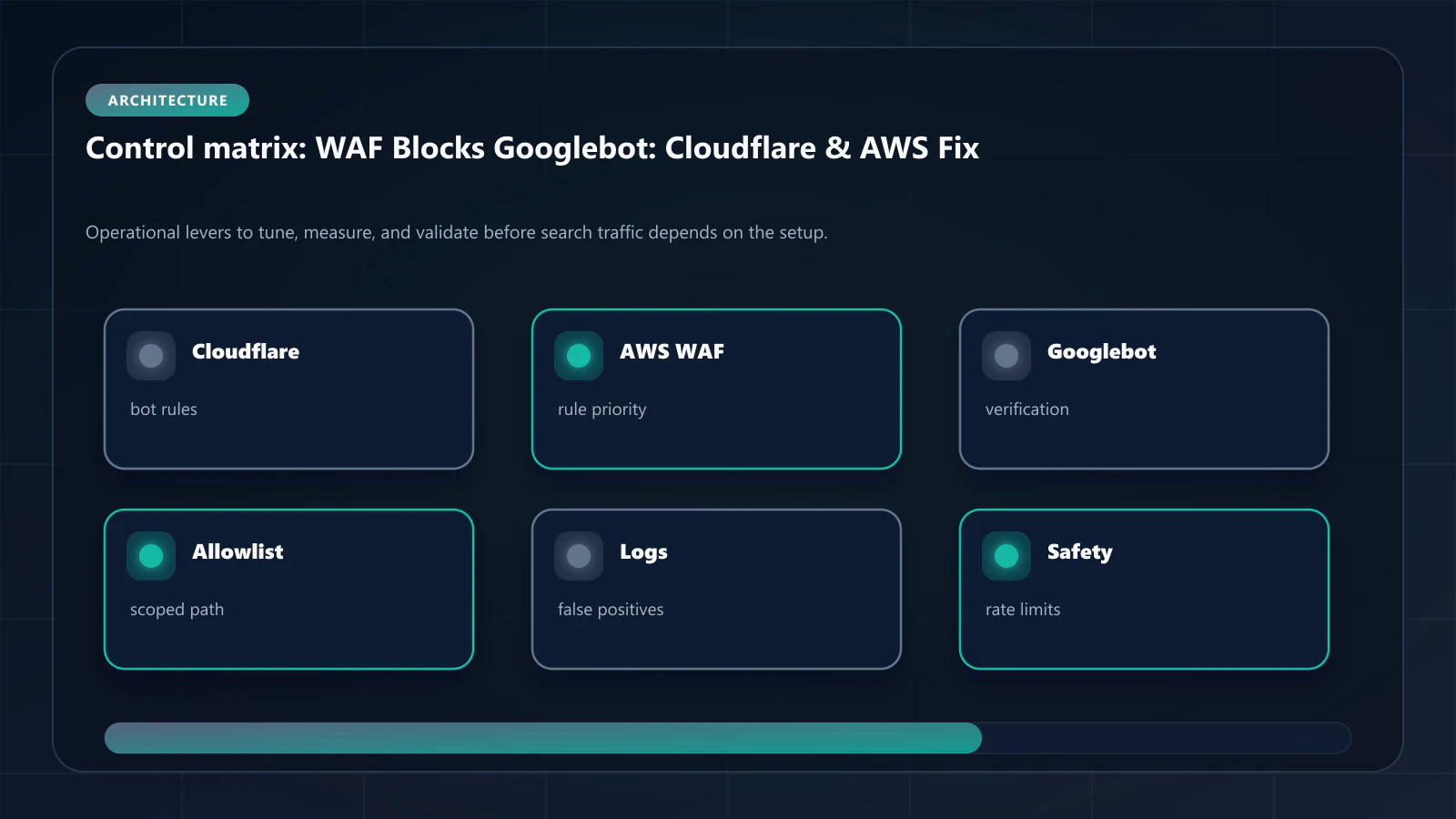
Yes. GPTBot (OpenAI), ClaudeBot (Anthropic), and Perplexity's crawler all face the same WAF over-blocking patterns. The same IP allowlisting approach — extended to each provider's published IP ranges — resolves it for AI crawlers as well. For large-scale enterprise deployments, the enterprise prerendering requirements guide covers WAF whitelist management as a formal procurement requirement — including advance notice SLAs for IP range changes and audit trail requirements for WAF configuration modifications. !Raster matrix diagram of operational levers, risks, and validation checks for WAF Over-blocking: How Cloudflare and AWS Block Googlebot and How to Fix It.
Explore the canonical guides
Editorial trust
Written by prerender Editorial · Engineering Team. We build and run pre-rendering infrastructure for more than 200 engineering teams, which is where the numbers and code samples on this page come from.
Last updated . Editorial scope and review policy: About prerender.info.