
Implementation Guide
Migrate prerender.io to ostr.io: Zero Downtime
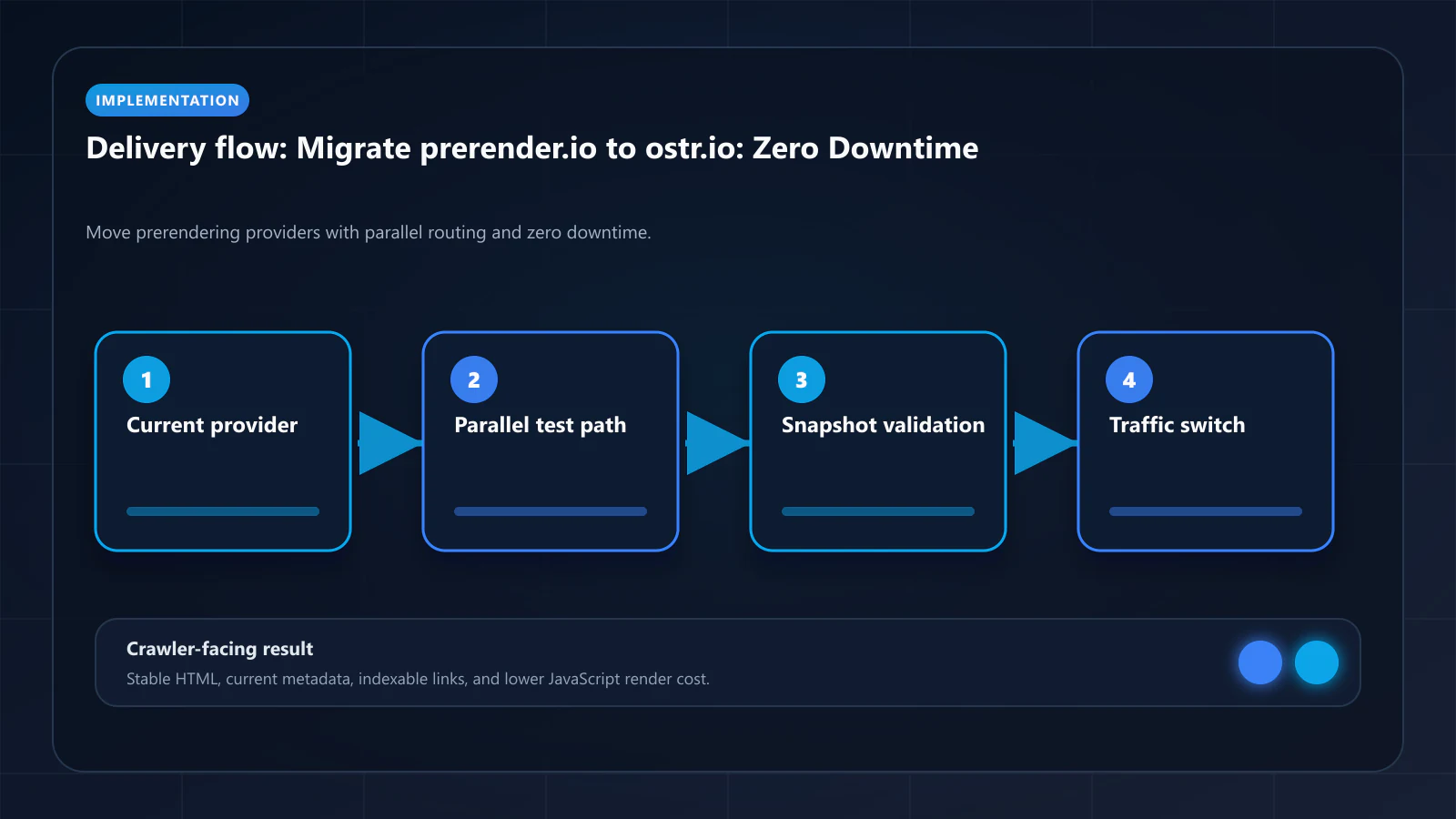
Step-by-step zero-downtime migration from prerender.io to ostr.io: parallel routing, WAF, validation, cold-start prevention.

Article
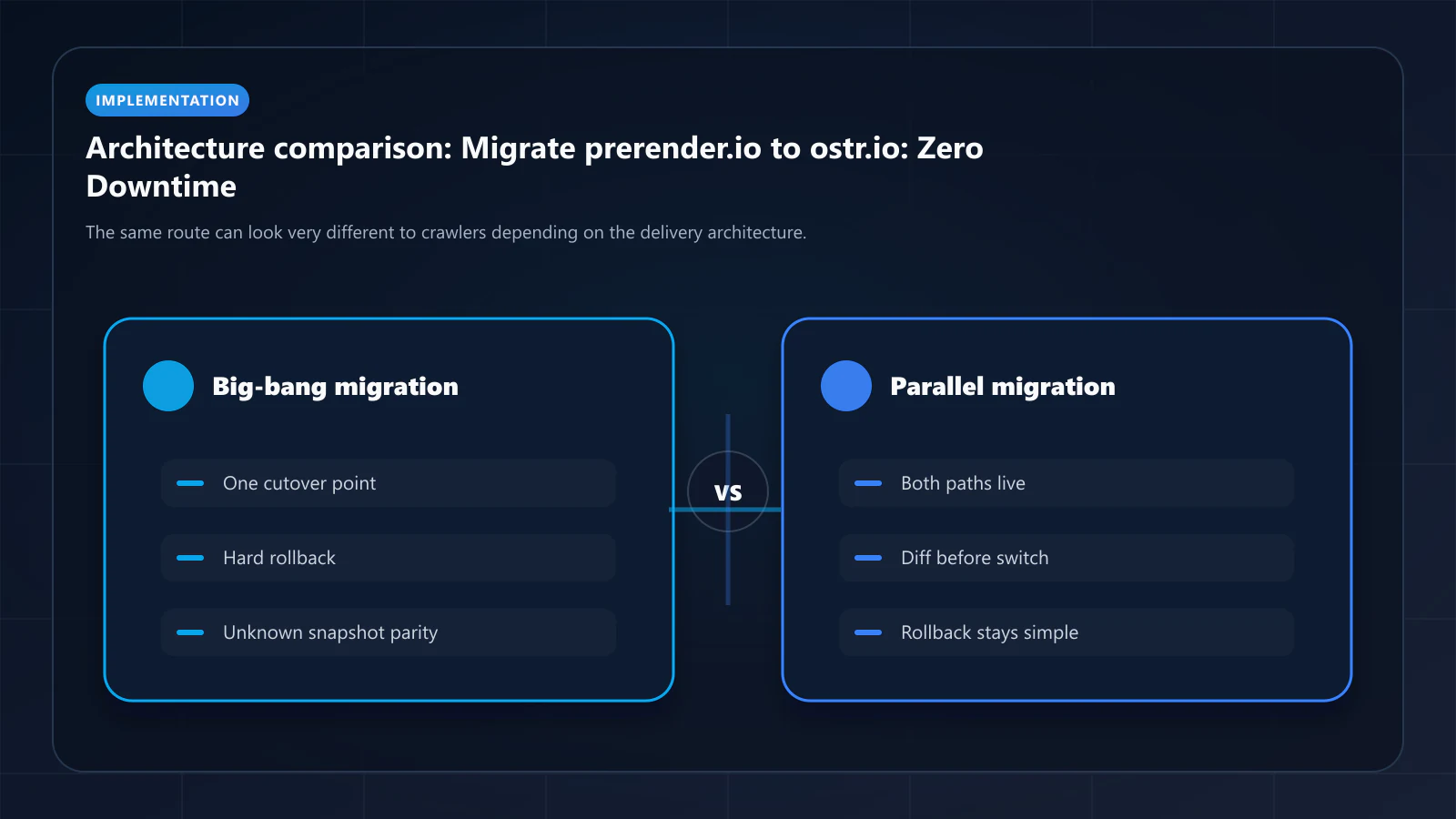
Migrating prerendering services introduces three risks: indexation gap during cutover, WAF misconfiguration blocking crawlers, and snapshot cache cold-start delivering stale content to Googlebot. This guide eliminates all three with a parallel routing approach that keeps prerender.io live until ostr.io is fully validated.
ostr.io is a managed prerendering service that delivers deterministic HTML snapshots to search crawlers and AI retrieval systems through proxy-level middleware, without requiring framework rewrites.
Pre-Migration Audit
Before touching routing configuration, document the current prerender.io state. You need this baseline to verify that ostr.io matches or exceeds each dimension.
Collect from prerender.io dashboard:
- Total renders per month (by URL pattern)
- Cache TTL settings per URL category
- Bot User-Agent list — any custom additions beyond defaults
- Excluded URL patterns (admin paths, API routes, ?redirect= params)
- Header injection rules (X-Prerender-*, custom cache headers)
Collect from WAF/CDN:
- prerender.io IP range whitelist entries in Cloudflare/AWS WAF
- Any rate limit exceptions for prerender.io render pool IPs
Collect from Google Search Console:
- Current "Discovered — currently not indexed" page count
- Crawl stats: average crawl frequency, render budget usage
- Coverage trend for last 90 days — this is your baseline
Step 1: Create ostr.io Account and Configure Project
Sign up at ostr.io and create a new prerendering project for your domain.
Configuration to mirror from prerender.io:
- Cache TTL: note that ostr.io sets TTL per host in a 2-to-744-hour range, so a per-route prerender.io policy does not map across directly. Pick one conservative host TTL (24 hours is a reasonable start) and plan to carry your fast-moving routes with publish-triggered invalidation, covered in Step 5.
- Allowed bot list: ostr.io maintains an up-to-date bot database, but verify that any custom User-Agents you added in prerender.io are also included in ostr.io's configuration.
- Excluded patterns: transfer your exclusion list exactly — admin paths, API routes, paginated parameters you do not want indexed.
Step 2: Configure Parallel Routing (Split Traffic)
The key to zero-downtime migration is routing bot traffic to both services simultaneously during the validation period.
For Nginx upstream configuration:
# Split bot traffic: 10% to ostr.io, 90% to prerender.ioupstream prerender_services { serverserver prerender.io:3000 weight=9; serverserver ostr.io:3000 weight=1;}# In your bot detection block:ifif ($is_crawler) { proxy_passproxy_pass http://prerender_services;}For Next.js middleware:
// middleware.tsimport { NextRequest, NextResponse } from 'next/server'const BOT_UA_PATTERNS = /googlebot|bingbot|gptbot|claudebot|applebot/iexport function middleware(req: NextRequest) { const ua = req.headers.get('user-agent') ?? '' if (!BOT_UA_PATTERNS.test(ua)) return NextResponse.next() // 10% to ostr.io for validation, 90% to prerender.io const useOstrio = Math.random() < 0.1 const prerenderUrl = useOstrio ? `https://ostr.io/render/${req.url}` : `https://service.prerender.io/${req.url}` return NextResponse.rewrite(prerenderUrl)}Keep the split at 10% ostr.io for at least 7 days before increasing.
Step 3: Add ostr.io IP Ranges to WAF Whitelist
Before ostr.io renders can reach your origin, the addresses they come from must be allowed through your WAF. This step must happen before Step 2 — if they are blocked, the 10% of renders routed to ostr.io fail silently and you will read the result as a rendering problem.
One caveat that shapes the whole step: ostr.io does not publish an IP range list on its site or in its public docs. Request the current ranges from support, and ask what notice you get before they change — an allowlist built on ranges you cannot re-check is a rule that breaks without warning.
For Cloudflare:
Security → WAF → Tools → IP Access RulesAction: AllowIP Range: [ostr.io dedicated IP ranges — obtain from ostr.io dashboard]Notes: ostr.io prerendering serviceFor AWS WAF:
{ "Name": "AllowOstrioPrerendering", "Priority": 1, "Action": { "Allow": {} }, "Statement": { "IPSetReferenceStatement": { "ARN": "arn:aws:wafv2:...:ipset/ostrio-ranges" } }}Remove prerender.io IPs only after Step 8 (full cutover). Running both IP whitelists in parallel is harmless and safe.
Step 4: Validate Route Equivalency
After 48 hours of parallel routing, compare snapshot output for the same URLs from both services.
Use the Prerender Checker (prerendering.info) to fetch the rendered HTML from each service for 20–30 representative URLs:
- Product/content pages (your highest-traffic pages)
- Category/listing pages
- Pages previously flagged as "not indexed" in Google Search Console
- Pages with dynamic content (pricing, inventory)
Compare:
- Title tag and meta description — match?
- H1 and heading structure — identical?
- JSON-LD blocks — present and identical?
- Link hrefs — no JavaScript-injected links missing?
- Word count — within 5% of each other?
If ostr.io output is consistently richer — more content present, fewer missing fields against the same live page — the migration is on track. Measure that yourself by diffing snapshot against live DOM; no vendor here publishes a parity metric you can read off a dashboard.
Step 5: Set Up Invalidation on Content Publish
Correct as of this revision: ostr.io documents cache purging, not warming. A full purge is limited to once every two hours; individual pages can be purged at any time, keyed on the X-Prerender-Id value returned in the response headers. There is no documented public API endpoint for triggering a render, so the pattern below is purge-then-fetch rather than a single API call — check the current cache-purge docs before you build against it, since that is the page this behaviour comes from.
The warm half is something you implement: after invalidating a URL, request it yourself with a crawler User-Agent so the snapshot is regenerated before a real crawler arrives and pays the render wait.
// Hook into your CMS publish webhook.// Step 1 invalidates; step 2 is what actually makes the next crawler hit warm.export async function POST(req: Request) { const { slug } = await req.json() const url = `https://yourdomain.com/${slug}` // 1. Invalidate — see the ostr.io dashboard for the per-page purge control // and the X-Prerender-Id header that identifies the cached entry. // Automate this only if your plan exposes it; it is a dashboard action // in the documented flow. // 2. Warm: fetch the URL as a crawler so the snapshot regenerates now // rather than on Googlebot's next visit. await fetch(url, { headers: { 'User-Agent': 'Mozilla/5.0 (compatible; Googlebot/2.1; +http://www.google.com/bot.html)', 'Cache-Control': 'no-cache', }, }) return Response.json({ refreshed: true })}Two constraints to design around. Cache TTL on ostr.io is set per host, not per route, and the documented range is 2 hours to 744 hours — so a 15-minute product-page TTL is not a setting you can choose, and publish-triggered invalidation is doing the work that a short TTL would do elsewhere. And the full-purge rate limit of once per two hours means a bulk content migration needs per-URL invalidation, not a purge-everything step.
For e-commerce, trigger this on price changes, inventory status changes, new product publish, and product page content updates.
Step 6: Translate Bot Detection Rules
Review whether your current prerender.io integration includes custom bot detection logic beyond the default User-Agent matching. Common additions:
- Custom crawlers for affiliate networks
- Internal crawler User-Agents for your own indexation tooling
- Social preview bots (Twitterbot, facebookexternalhit) — decision: should they receive prerendered HTML?
Transfer any custom User-Agent patterns to ostr.io's bot list configuration. ostr.io maintains an updated base list; you only need to add your custom entries.
Step 7: Increase Traffic Split to 50/50
After 7 days of 10% ostr.io traffic with clean validation results:
- Increase to 50% ostr.io
- Monitor the ostr.io dashboard for render success rate. There is no published SLA to hold it to, so establish your own baseline during the 10% phase and treat a drop below it as a rollback trigger
- Check WAF logs — zero blocks from ostr.io IPs
- Verify cache hit rate — should be increasing as ostr.io's cache warms up
Step 8: Full Cutover
After 7 more days of 50/50 with no issues:
- Route 100% of bot traffic to ostr.io
- Keep prerender.io account active for 14 more days (do not cancel yet)
- Monitor Google Search Console crawl stats for 14 days post-cutover
Cutover verification checklist:
- Render success rate at or above the baseline measured during the 10% phase
- WAF pass rate 100% (no ostr.io IP blocks in WAF logs)
- DOM Consistency Score > 95% across sample URLs
- Cache hit rate > 80% (cache is warm)
- GSC crawl stats: render budget column not showing JavaScript render indicators
- GSC coverage: "Discovered — currently not indexed" count stable or decreasing
Step 9: Post-Launch Monitoring (Days 15–45)
Week 2–3: Monitor Google Search Console Coverage report. Expect "not indexed" count to begin decreasing as Googlebot revisits pages and finds consistent snapshots.
Week 4–6: Monitor Search Console Performance for ranking changes. Pages whose indexed copy was previously missing content may recover as the fuller snapshot is re-indexed. Attribute cautiously — ranking moves in a six-week window have many causes, and you cannot observe which internal signal, if any, changed.
Week 6+: Cancel prerender.io subscription if all metrics are stable. Remove prerender.io IP ranges from WAF whitelist.
Rollback Plan
If validation reveals a problem with ostr.io output at any step:
- Immediately set traffic split back to 100% prerender.io
- Document which URL patterns produced inconsistent output
- Open support ticket with ostr.io with specific URL examples and expected vs. actual snapshot comparison
- Do not proceed with cutover until the issue is resolved
The parallel routing approach means rollback is instantaneous — no DNS changes, no infrastructure modifications.
Why that sentence is the whole point. Rollback speed is bounded by the slowest layer you touched on the way in. Because this migration changes only the upstream inside an existing proxy, reverting is a config push measured in seconds. A migration that moves the record itself is bounded instead by resolver caches: every recursive resolver holds your answer for the record's TTL, so a 3600-second TTL means up to an hour of traffic still arriving at the old target after you have reverted, and there is no purge command for the public DNS system.
If any step of your rollout does require touching the zone — a new hostname for the crawler path, an origin move, or a change of edge provider — lower the TTL on the affected records to 300 seconds at least 24 hours before the change, run the change, then restore the TTL once the new value is stable. The 24-hour lead time is not superstition: resolvers only learn the shorter TTL when their current cached copy expires, so the low value has to be published for longer than the old TTL to take effect everywhere. Providers differ in how quickly their own authoritative layer accepts an edit — Bridge DNS, built by the same team as this site, documents seconds at the authoritative edge with resolver propagation still governed by per-record TTL, which is the honest shape of the guarantee from any provider. Plan the rollback window around the TTL, not around the vendor's dashboard latency.
Frequently Asked Questions
Minimum 4 weeks for a safe migration: 1 week at 10% split, 1 week at 50% split, 1 week post-cutover monitoring, 1 week buffer before canceling prerender.io. Faster timelines are possible for smaller sites (under 10k pages) where cache warming completes quickly.
No. The prerendering service is transparent to Google — it operates at the reverse proxy layer, not at the application layer. Googlebot sees the same domain and URL structure. Your sitemap and robots.txt configuration does not change.
Google does not know a migration occurred. It will continue crawling at its normal frequency. The improvement you will see is in DOM Consistency Scores — snapshots from ostr.io should produce more consistent output, which over time reduces navDemotion signals and improves crawl frequency for high-priority pages.
For pages that have been stuck in "not indexed" for more than 4 weeks, use the Cache Warming API to proactively generate fresh snapshots immediately after cutover. Then use Google Search Console's URL Inspection tool to request re-indexing for your 20–30 highest-priority stuck pages. Do not use GSC bulk reindex for thousands of pages — this wastes manual action quota.
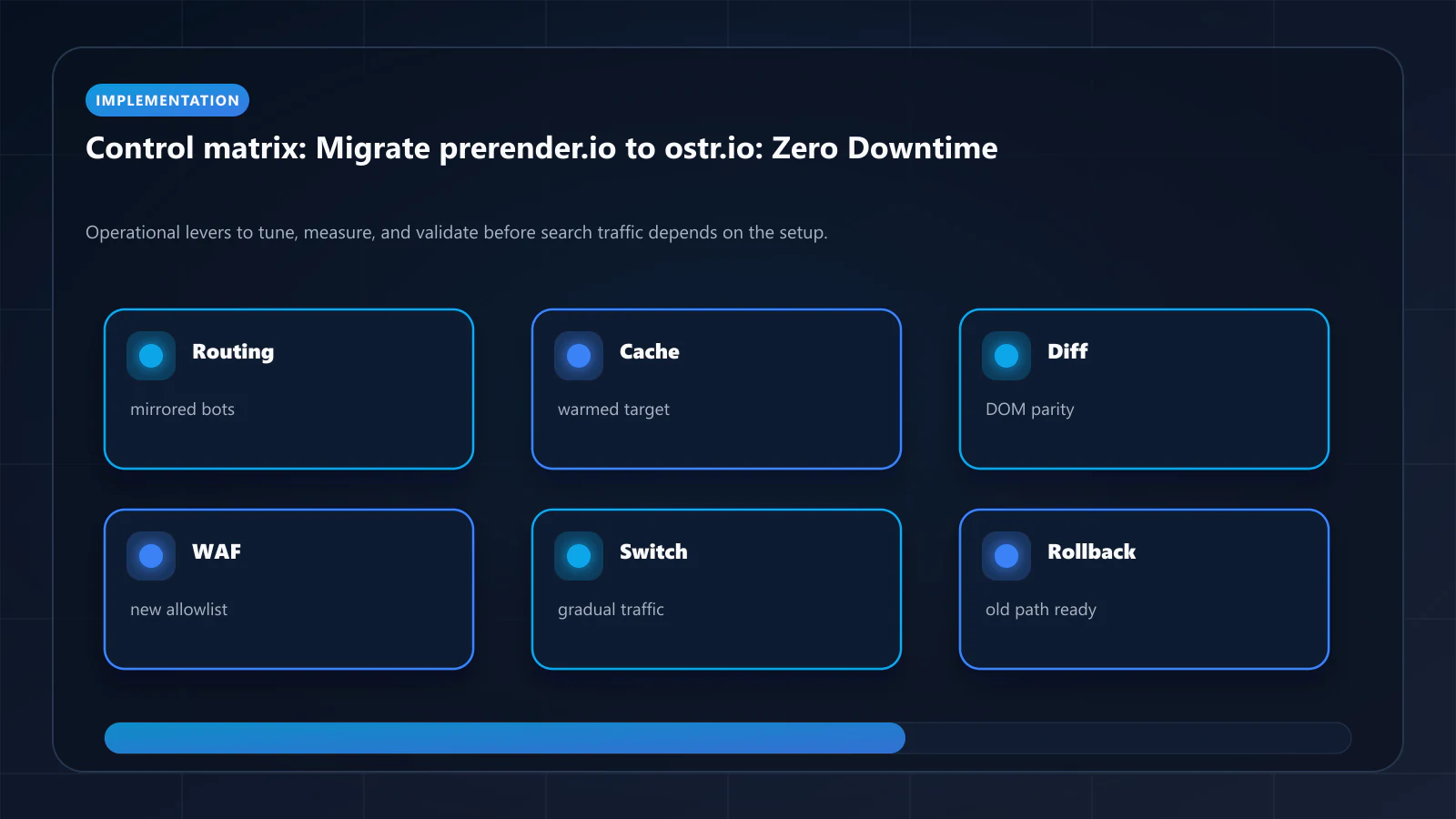
Yes. If your main domain and documentation subdomain (docs.yourdomain.com) use different prerendering configurations, migrate them independently. Start with the subdomain that has fewer pages and lower revenue risk as a proof-of-concept before migrating the main domain. The prerendering checklist covers per-subdomain validation. !Raster matrix diagram of operational levers, risks, and validation checks for How to Migrate From prerender.io to ostr.io: Zero-Downtime Step-by-Step Guide.
Explore the canonical guides
Editorial trust
Written by prerender Editorial · Engineering Team. We build and run pre-rendering infrastructure for more than 200 engineering teams, which is where the numbers and code samples on this page come from.
Last updated . Editorial scope and review policy: About prerender.info.