
Implementation Guide
Redirect Bot Traffic to Prerendering Safely
Route bots to prerendered HTML while preserving semantic parity: classification, reverse proxy config, regression boundaries.

Article
Redirecting bot traffic is not just a security decision. On JavaScript-heavy websites, it is often an infrastructure decision that determines whether crawlers receive usable HTML without exhausting the origin. The best implementations do not simply “send bots somewhere else.” They classify traffic carefully, route only the right requests, and preserve semantic parity while moving expensive rendering work away from the main application path.
That is why bot redirection belongs between bot detection, prerendering, and technical SEO. Detection tells the system which requests are safe to trust. Redirection tells the proxy what to do next. If either layer is weak, the site can waste rendering capacity, misroute humans, or drift into compliance problems.
This article explains how bot traffic redirection works, which requests should be routed to prerendering, what fallback rules matter, and how to keep the setup compliant and operationally stable.
What Redirecting Bot Traffic Really Means
Redirecting bot traffic does not have to mean issuing a browser-visible 301 or 302. In most production setups, it means internal routing at the reverse proxy or edge layer. The request still targets the same public URL, but the infrastructure decides which backend path should fulfill it.
For verified crawler traffic, that usually means:
- accept the original public URL
- classify the request as a trusted machine client
- route it to a prerendering service or rendering middleware
- return serialized HTML for the same page
This is why bot routing is usually an internal delivery decision rather than a user-facing redirect pattern.
Why Teams Redirect Verified Bots Instead of Serving Everything From Origin
Serving all bot traffic directly from origin can become expensive fast on JavaScript-heavy sites. Every crawler request may trigger route rendering, data fetching, and downstream application work that adds little value when the same page could be returned as deterministic HTML.
Teams usually introduce redirect logic because it helps:
- protect origin capacity during crawl spikes
- deliver machine-readable HTML faster
- reduce repeated rendering work on expensive routes
- keep human performance separate from crawler delivery needs
This is closely related to crawl budget optimization, because weak or slow machine-facing delivery wastes crawler attention and origin resources at the same time.
Redirect Logic Starts After Detection, Not Before
A common mistake is treating redirect rules as a simple User-Agent switch. That is too fragile. Bot redirection should start only after traffic has been classified with enough confidence.
A stronger decision model usually combines:
User-Agentevaluation- reverse DNS or IP verification for known crawlers
- reputation and request-pattern checks
- route eligibility rules
- explicit exclusions for private or personalized paths
That is the key difference between classification and routing. The system first decides whether the request is a trusted bot. Only then should it decide whether that bot belongs in the prerender path.
Which Requests Should Be Routed to Prerendering
Not every automated request deserves the prerendering layer. The strongest candidates are verified search and AI crawlers hitting public routes whose initial HTML is too weak to express the real page meaning.
Typical candidates include:
- search engine crawlers
- answer-engine retrieval bots
- social bots that need stable metadata
- public listing and product pages
- documentation and programmatic landing routes
The routes themselves should also be eligible. If a page is private, personalized, or unstable, it usually should stay out of the prerender path. The selection logic overlaps with which pages should use prerendering, because bot routing only helps when the target route is a safe candidate.
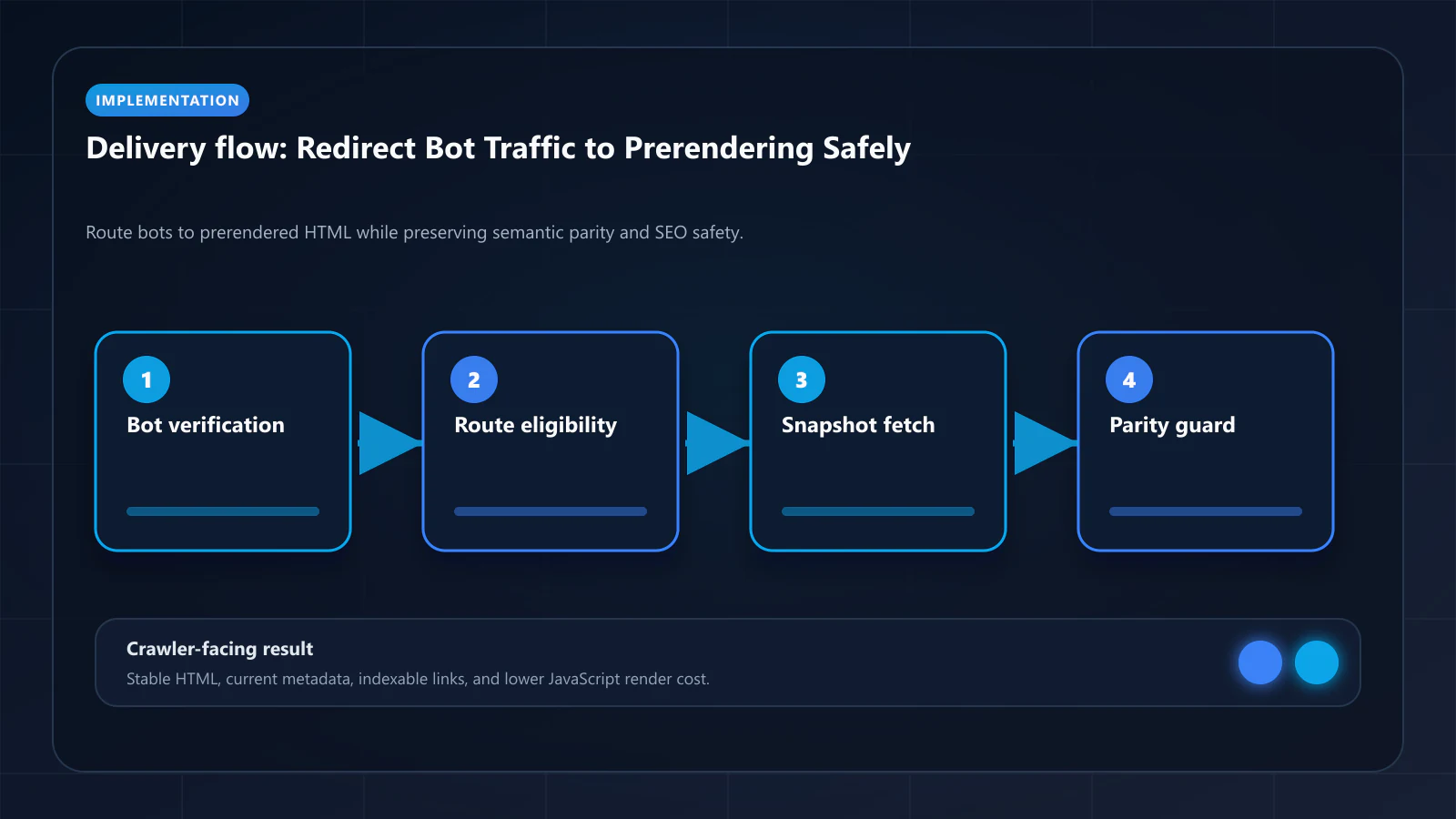
Reverse Proxy Patterns for Bot Redirection
Most implementations put the routing decision in a reverse proxy, CDN worker, or edge function. The goal is to make the decision early, before the request reaches the expensive application path.
At a high level, the proxy should:
- inspect the request
- validate whether the client is a trusted bot
- check whether the route is eligible for prerendering
- forward the request to the rendering middleware
- return the machine-facing HTML without changing the public URL
This is why the redirect layer is really a controlled proxy handoff. The site is not changing destinations for SEO manipulation. It is changing execution paths to produce a reliable machine-facing response.
Fallback Behavior Matters More Than Teams Expect
Bot routing is not complete when the happy path works. Teams also need to decide what happens when prerendering fails, times out, or returns incomplete output.
Good fallback behavior usually includes:
- returning
503 Service Unavailablefor temporary rendering failures - avoiding silent empty responses
- preventing partial snapshots from being cached
- logging failed bot routes for audit and replay
- keeping timeout rules explicit and conservative
The goal is to signal temporary failure honestly rather than serving broken machine-facing output. The external guide on HTTP status codes for bots is a useful reference for that layer.
Cache Strategy for Redirected Bot Traffic
Once bot traffic is routed to prerendering, caching becomes one of the most important operational controls. Rendering every bot request from scratch is expensive, but caching the wrong snapshot is risky.
Teams usually need:
- route-level cache eligibility
- fast invalidation after content changes
- exclusions for authenticated or market-specific views
- controls that prevent stale bot-facing metadata
- visibility into what snapshot version was served
This is one reason bot routing and cache design should be reviewed together. If the cache layer is weak, the site can return outdated machine-facing content even when the redirect logic itself is correct.
How to Keep Bot Redirection Compliant
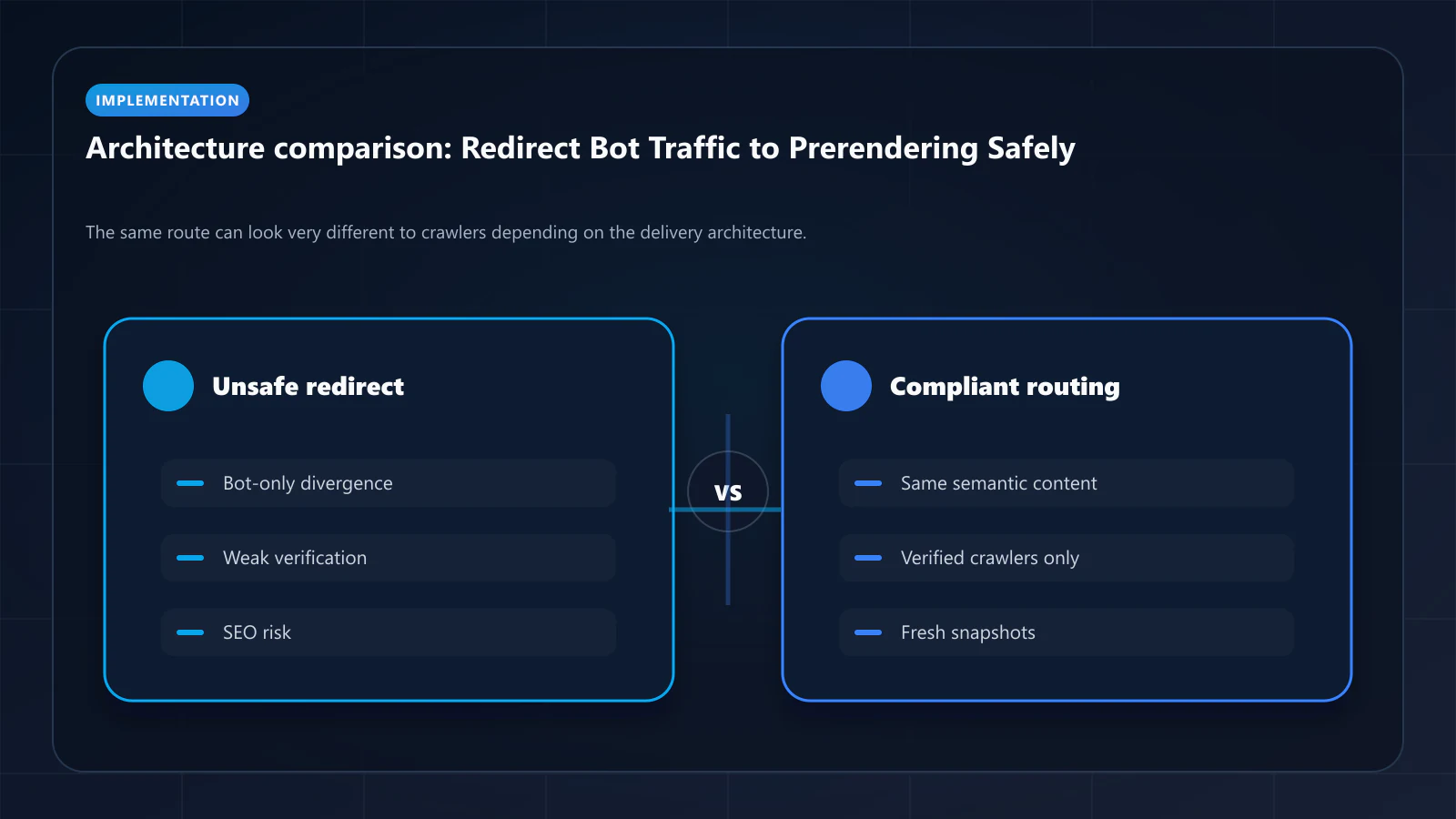
Bot-aware delivery becomes risky only when the redirected version stops matching what users actually get. The safe implementation changes delivery format and infrastructure path, not page intent.
To stay compliant:
- keep headings, body content, and entities aligned
- keep canonicals and metadata consistent
- exclude private and personalized routes
- validate prerendered output against the final user-visible route
- avoid crawler-only copy or destination changes
That is the same semantic parity rule covered in what is cloaking in SEO. Redirection is safe when it preserves meaning and unsafe when it changes it.
Cloudflare, Edge Workers, and Custom Proxy Rules
Cloudflare Bot Management and similar edge products can help with filtering and scoring, but they are not the same thing as route-level prerender delivery. Many teams use them for detection and then layer custom worker or proxy logic on top for the actual routing decision.
That hybrid model works well because:
- global edge filtering handles malicious traffic earlier
- custom rules keep crawler routing precise
- prerendering resources are reserved for verified bots
- the origin remains insulated from wasteful machine load
The main tradeoff is operational complexity. Teams need strong visibility into which requests were blocked, which were redirected, and which fell back.
How to Validate a Bot Redirection Setup
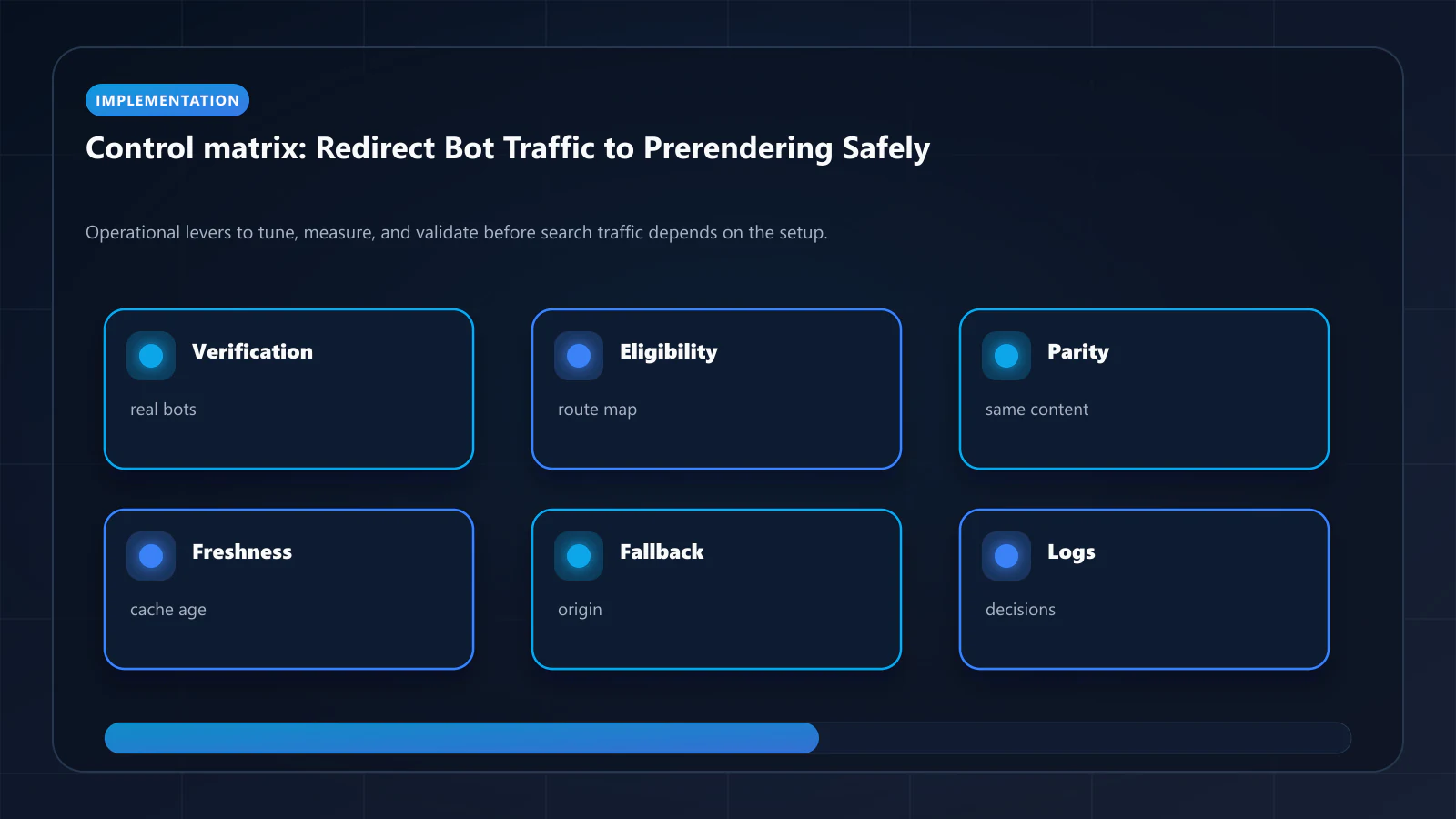
Validation should confirm both the routing decision and the resulting machine-facing output. It is not enough to know that the request hit the prerender path. The output still has to be complete, current, and aligned with the live route.
A strong validation checklist includes:
- whether trusted bots were routed correctly
- whether humans were kept out of the prerender path
- whether metadata and schema survived the handoff
- whether fallback logic returns the right status codes
- whether cache invalidation keeps snapshots fresh
- whether the machine-facing output matches the final route meaning
Teams usually verify the last step with View as Bot vs Prerender before broader rollout.
| Strategy | Origin load protection | Crawler output quality | Operational risk |
|---|---|---|---|
| No bot routing | Low | Variable | Low |
Naive User-Agent redirect | Medium | Variable | High |
| Verified bot routing to prerendering | High | High | Moderate |
| Verified routing with cache and fallback controls | High | High | Low to moderate |
Conclusion
Redirecting bot traffic works best when it is treated as a controlled proxy decision rather than a blunt redirect trick. The system has to classify requests carefully, route only the right bots, and return the same page meaning through a more reliable machine-facing path.
On modern JavaScript-heavy websites, that combination can improve crawler delivery, protect origin capacity, and reduce rendering waste. But the benefits only hold when routing, cache behavior, fallback rules, and semantic parity are validated together.
For the specific Next.js middleware patterns and Nginx configuration needed to route verified bot traffic to ostr.io, the prerendering implementation guide for Next.js covers the complete setup including bot detection middleware, WAF whitelist configuration, and Cache Warming API integration.
Frequently Asked Questions
Not when the prerendered HTML substantially matches the user-facing DOM. Google explicitly documents dynamic rendering as an accepted pattern. The cloaking risk appears only if the prerendered version contains content (keywords, links, structure) the live page does not — match the rendered DOM and you stay compliant.
At the edge: Cloudflare Worker, Vercel Edge Middleware, AWS Lambda@Edge, or a reverse proxy in front of the origin. Origin-level routing wastes a round-trip and risks the application serving the SPA before the rule fires.
No. Routing applies only to HTML page requests. /api, /_next/static, images, fonts, and other non-HTML paths bypass the prerendering layer because crawlers do not need them rendered.
Send a request with a Googlebot User-Agent header (e.g. curl -A 'Googlebot/2.1') to a representative URL and confirm the response contains the prerendered snapshot, not the SPA shell. Repeat with a normal User-Agent to confirm users still get the live application.
Explore the canonical guides
Editorial trust
Written by prerender Editorial · Engineering Team. We build and run pre-rendering infrastructure for more than 200 engineering teams, which is where the numbers and code samples on this page come from.
Last updated . Editorial scope and review policy: About prerender.info.