
Implementation Guide
Which Pages Should You Prerender
Pick which routes to prerender first — prioritize discovery templates over full-site rollouts that dilute crawl recovery.

Article
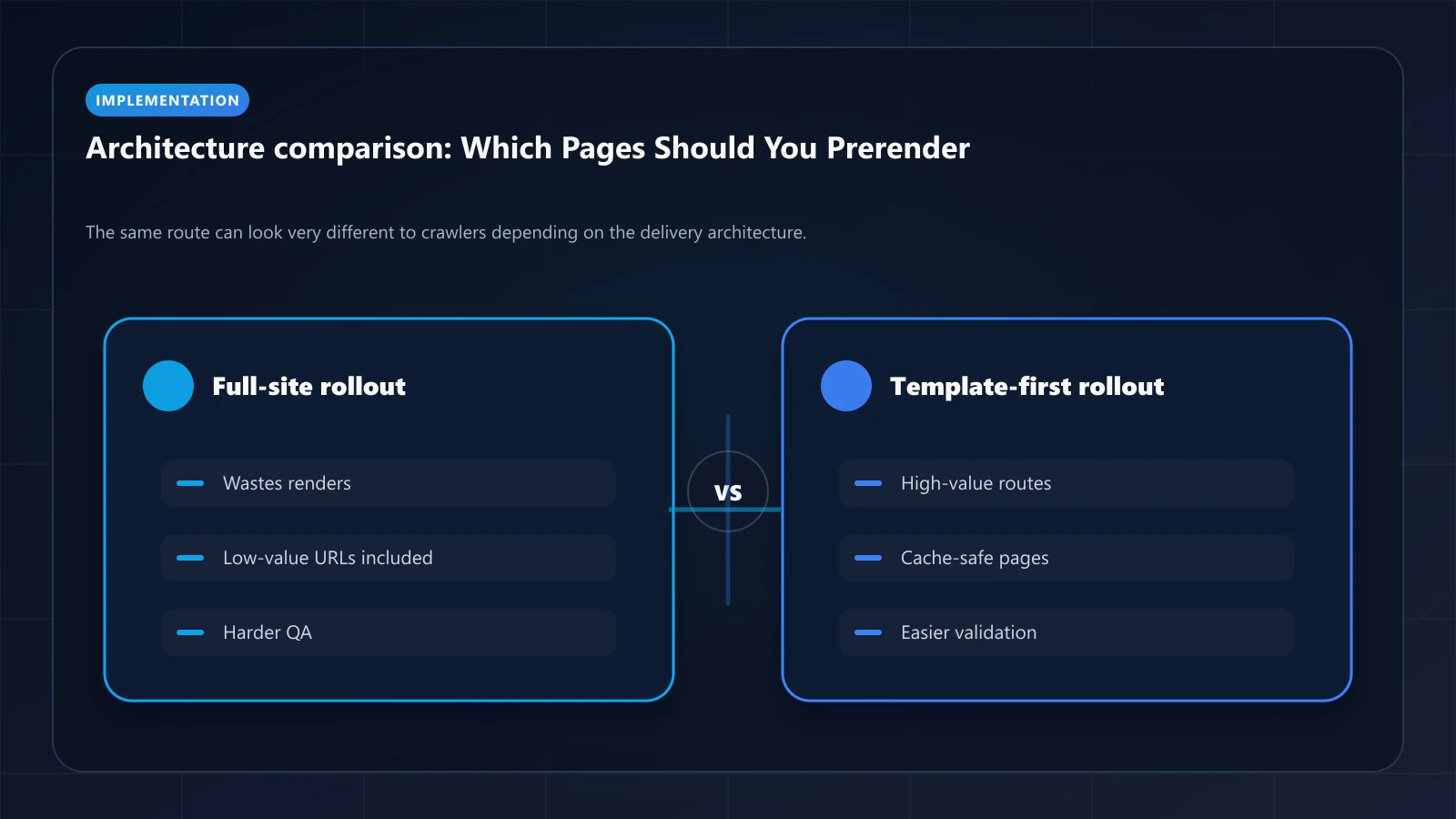
Not every page on a JavaScript-heavy website needs prerendering. The strongest rollouts start by selecting the routes where machine-facing HTML matters most and where the current delivery path is weakest. That usually means choosing templates that drive discovery, traffic, and indexation value rather than trying to prerender the entire site at once.
This is why prerendering should be treated as a route-selection decision, not only as a sitewide frontend preference. Some templates already expose enough meaning in the first response. Others depend so heavily on client-side execution that crawlers and AI systems see a thin shell instead of a real page. The question is not just “does this website benefit from prerendering?” The better question is “which pages benefit first?” That sits directly between prerendering, JavaScript SEO, and crawl budget optimization.
This article explains how to choose pages for prerendering, which templates usually deserve priority, which routes should usually stay out of the prerender path, and how to validate a staged rollout.
Start With Templates, Not Individual URLs
The fastest way to decide where prerendering helps is to group pages by template instead of auditing isolated URLs one by one. Most crawl and rendering problems repeat by layout pattern.
Useful template groups often include:
- product detail pages
- category or listing templates
- location or programmatic landing pages
- documentation article templates
- editorial or blog posts
- account, cart, checkout, and dashboard routes
If one product page has thin initial HTML, the whole product template probably has the same problem. This is why prerender planning usually starts as a template eligibility exercise inside a technical SEO audit, not as random route debugging.
Which Pages Usually Benefit First
The first candidates are usually templates that combine three conditions:
- They matter for organic discovery or AI retrieval.
- Their initial HTML is weak or incomplete.
- They are public and semantically stable enough to snapshot safely.
In practice, the strongest early candidates are:
- SEO landing pages with delayed content blocks
- product and collection pages on JS-heavy commerce stacks
- directory and marketplace listing pages
- docs or help-center articles rendered late in the lifecycle
- programmatic pages generated from large databases
These pages often sit close to acquisition, and they usually suffer the most when bots see only a shell. That broader architecture fit is covered in what websites benefit from a prerendering service, but route selection decides where the rollout should begin.
Which Pages Usually Should Not Be Prerendered
Some routes are poor prerender candidates even on websites that need machine-facing HTML elsewhere.
The most common exclusions are:
- authenticated dashboards
- checkout and payment flows
- user-specific account pages
- highly personalized recommendation views
- admin panels and internal tools
- routes that change meaning heavily by session or cookie state
These templates are either private, unstable, or too user-specific to snapshot safely. Trying to prerender them creates unnecessary risk and can overlap with the compliance issues described in what is cloaking in SEO.
How to Spot a Good Prerender Candidate
A route is usually a good prerender candidate when the bot-facing response is obviously weaker than the fully rendered page. The best signals are visible in the first response.
Look for templates where:
- headings and body copy appear only after hydration
- metadata is incomplete or generic before client execution
- schema is injected late or inconsistently
- internal links become visible only after JavaScript runs
- the route frequently lands in discovered-not-indexed states
If those patterns exist, prerendering can often improve machine-facing clarity without forcing a full rendering rewrite. The same diagnostic logic appears in crawl budget optimization for JavaScript sites, where weak first-response HTML wastes crawler effort.
Prioritize by SEO Value, Not by Framework Purity
Teams sometimes choose prerender targets based only on which templates are easiest to render. That is understandable, but it is not always the best rollout strategy.
A stronger prioritization model weighs:
- indexation value
- traffic or revenue potential
- current rendering weakness
- update frequency
- cache safety
- implementation effort
This usually pushes high-value public templates to the top and low-value or risky routes to the bottom. In other words, prerendering should follow business and crawl value, not just technical convenience.
Category Pages, Product Pages, and Programmatic Templates
These three page types usually deserve special attention because they often combine scale with weak machine-facing delivery.
Category and listing pages matter because they distribute internal link equity and help crawlers discover deeper inventory. Product pages matter because they often carry the final commercial intent. Programmatic pages matter because they multiply quickly and can flood the site with thin first-response HTML if the template is weak.
For these templates, prerendering often improves:
- route-level HTML completeness
- metadata reliability
- schema visibility
- internal linking clarity
- crawl efficiency at scale
That is also why these templates frequently intersect with bot detection and offloading bot visits, because the same high-value routes can generate meaningful crawler load.
When SSR or Native HTML Is Already Good Enough
Prerendering is not mandatory for templates that already ship clean, stable HTML. If the first response contains the real headings, body content, metadata, links, and schema, the route may already be fit for bots.
That is especially true when:
- SSR is stable and semantically aligned
- static generation already covers the template well
- the route has low change frequency and strong first-response HTML
- crawler-facing output matches the final user-visible state closely
In those cases, adding prerendering may create extra moving parts without improving the route meaningfully. If SSR exists but parity is fragile, the right companion is the hydration and DOM-consistency playbook — it explains how to detect divergence between bot-facing and user-facing HTML before it turns into a cloaking signal.
How to Roll Out Prerendering in Stages
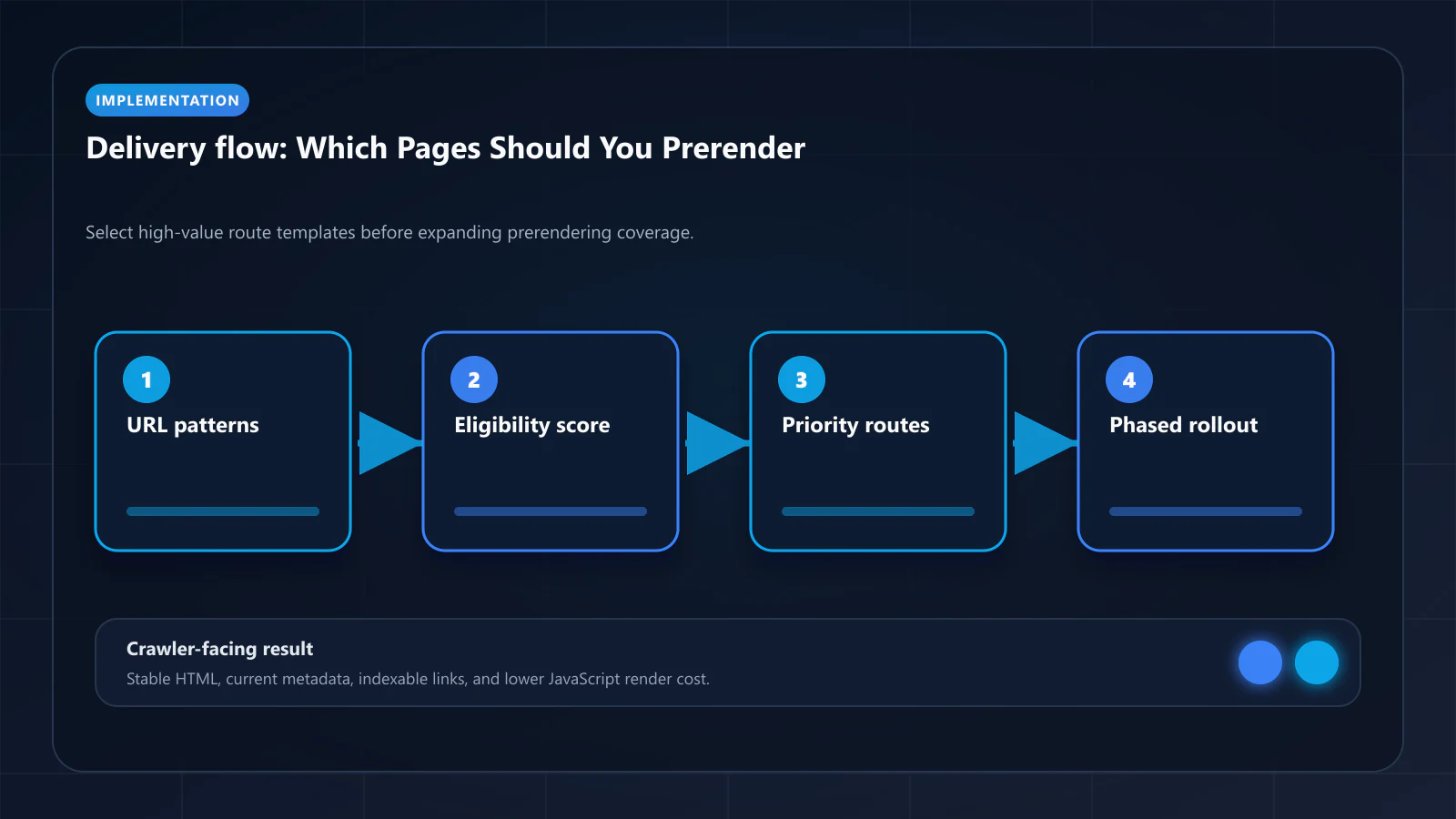
The safest rollout is usually phased rather than sitewide. Start with a narrow set of templates, validate them, and expand only after the machine-facing output is trustworthy.
A practical rollout sequence looks like this:
- Audit templates and identify high-value public routes.
- Exclude private, unstable, or personalized pages.
- Enable prerendering for one or two important template families.
- Validate bot-facing HTML, metadata, and schema.
- Monitor cache freshness and routing behavior.
- Expand to additional templates only after parity is stable.
This reduces risk and makes it easier to catch stale snapshots, routing mistakes, or template-specific failures before they affect the whole site.
How to Validate Route Selection
Once a template is selected, the team still needs to confirm that prerendering actually improves the route. The best validation focuses on what bots receive, not just what the browser eventually paints.
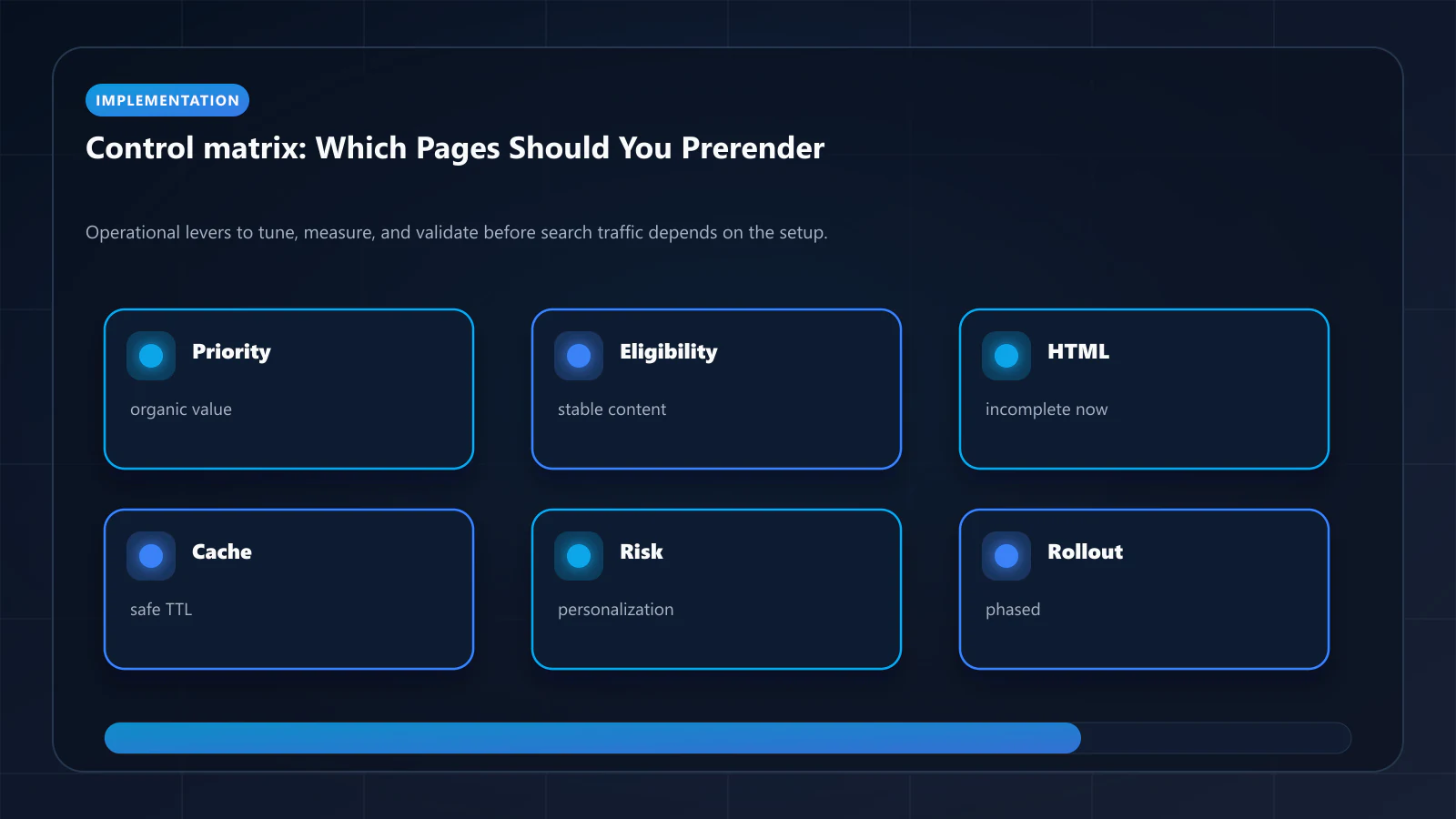
Strong validation checks:
- raw HTML before hydration
- completeness of headings and core copy
- metadata and canonical consistency
- schema visibility in the first response
- snapshot freshness after content changes
- whether the route still reflects the final user-visible meaning
Useful support tools include a Prerender Checker and View as Bot vs Prerender to compare current and intended machine-facing delivery.
| Route type | Typical prerender priority | Why |
|---|---|---|
| Product and listing pages | High | High crawl value and often weak first-response HTML |
| Programmatic landing pages | High | Scale amplifies indexation and crawl problems |
| Blog and docs templates | Medium | Often easier to fix, but still important for discovery |
| Checkout and dashboards | Low or none | Private, unstable, or personalized |
| Admin and internal tools | None | Not intended for indexing |
Conclusion
The right question is rarely whether an entire website should use prerendering. The better question is which public, high-value templates need a stronger machine-facing response first. Once prerendering is treated as a route-selection problem, rollout decisions get much clearer.
For most JavaScript-heavy sites, the best early targets are the templates that drive discovery and revenue but still ship weak initial HTML. Start there, validate parity carefully, and expand only where prerendering actually improves crawler-facing quality without introducing new risk.
Once you have identified which routes to prerender, the prerendering pre-launch checklist covers the 10 validation areas to complete before switching to production traffic — including DOM output comparison, WAF configuration, and Google Search Console baseline measurement.
Frequently Asked Questions
No. Prerender only what crawlers should index: public landing pages, product/listing/detail pages, articles, hubs, and category pages. Skip authenticated routes, internal admin paths, search-results pages, and anything explicitly noindex.
Templates that combine high indexation value with weak current crawler-visible HTML: SaaS docs, product/listing detail pages, marketplace seller pages, and any high-traffic SPA route currently sitting in 'Discovered — currently not indexed'. Audit Search Console first to find the biggest gaps.
First few pages of a paginated set, yes — they often hold the bulk of the link equity and discovery value. Beyond page 5-10, prerendering wastes render budget without adding indexation value. Use rel=canonical to the unpaginated set or noindex deeper pagination.
Often, no. Stable static articles render fast enough on first crawl that prerendering adds little. Focus the budget on routes where rendering complexity, freshness, or DOM consistency are real bottlenecks.
Explore the canonical guides
Which websites benefit from prerendering
The site-level version of this question.
Use case - car rentals
Matrix pruning, where route selection matters most.
Use case - job boards
Expiry-driven routes, where stale snapshots cost the most.
Guide - crawl budget fundamentals
Why the selection changes what crawlers spend.
Editorial trust
Written by prerender Editorial · Engineering Team. We build and run pre-rendering infrastructure for more than 200 engineering teams, which is where the numbers and code samples on this page come from.
Last updated . Editorial scope and review policy: About prerender.info.