
JavaScript SEO
Web Workers SEO: Background-Thread Indexing
Web Workers generate off-thread content crawlers miss. Prerendering with full JS captures Worker DOM updates for full index.

Article
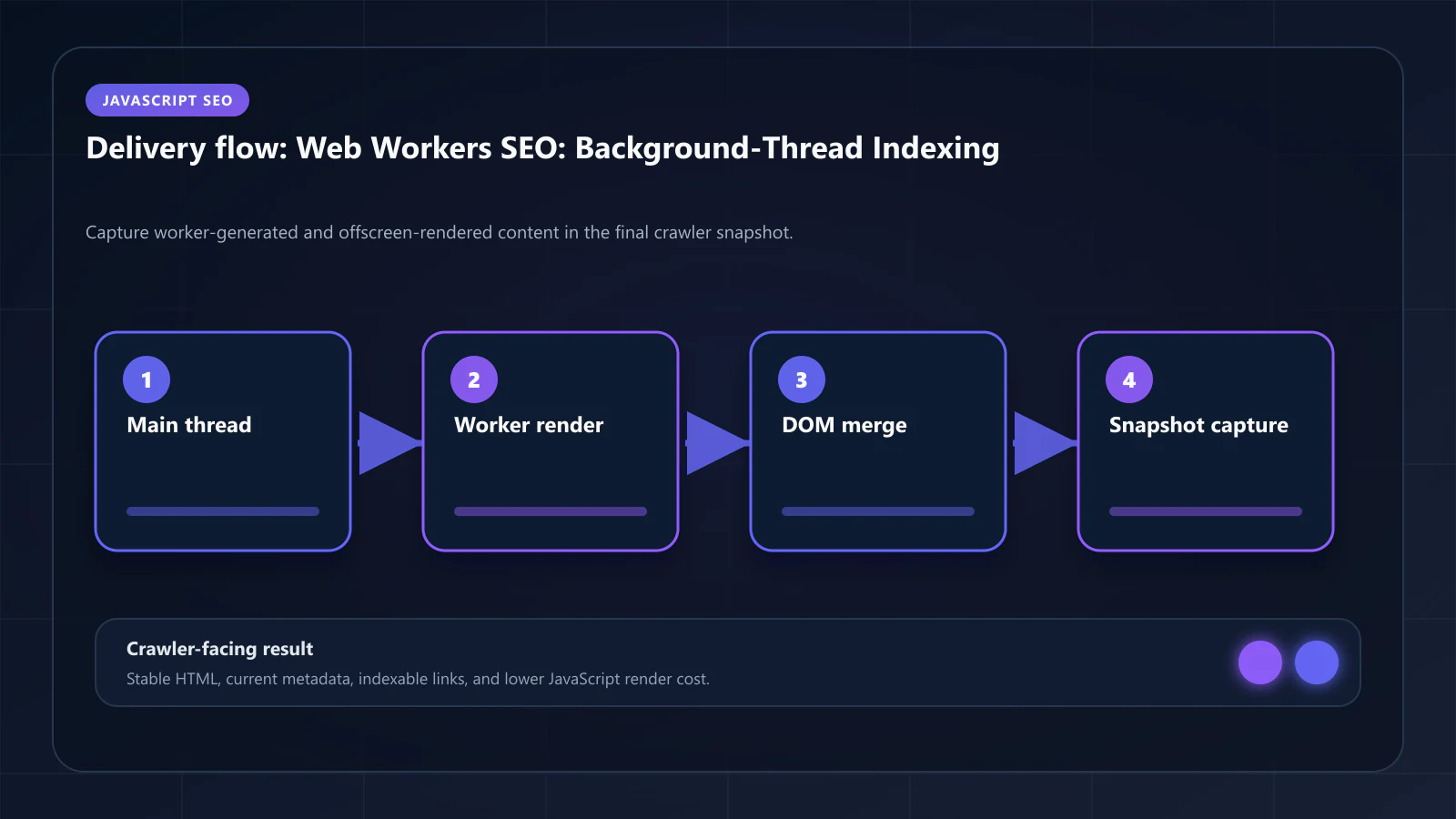
Web Workers generate content off the main thread, in an execution context that crawlers — and even headless Chrome in standard configuration — cannot access without specific handling. When a page uses Web Workers for data processing, chart generation, or content transformation, the results are posted back to the main thread and used to update the DOM. Crawlers that do not wait for this full cycle see loading states instead of the Worker-generated content.
This guide covers what content Web Workers generate, why crawlers miss it, and how prerendering with proper configuration captures background-thread output for indexation.
What Content Web Workers Generate
Web Workers are used for compute-intensive operations that would block the main thread if executed inline. For SEO purposes, the category of Worker-generated content that matters most is content that ends up in the DOM:
E-commerce product variant processing: Workers calculate price matrices, availability combinations, and shipping estimates from product data payloads. The computed results populate variant selectors and price displays. Without the Worker completing, the page shows empty or default values.
Real estate calculation and mapping: Workers process geospatial data for property maps — calculating distances, rendering neighborhood boundaries, and clustering property markers. Workers also compute mortgage estimates, property tax projections, and comparative market data. The calculated values populate table cells and metric displays that Googlebot would index.
Financial dashboards: Portfolio calculators, yield comparisons, and risk assessments are computed in Workers to keep the main thread responsive. The results appear in data tables and summary cards that represent the page's key content.
Content transformation pipelines: Some CMS implementations run Markdown-to-HTML transformation in Workers, post the processed HTML back to the main thread, and inject it into the DOM. The indexed content is the Worker's output, not the raw Markdown stored in the data layer.
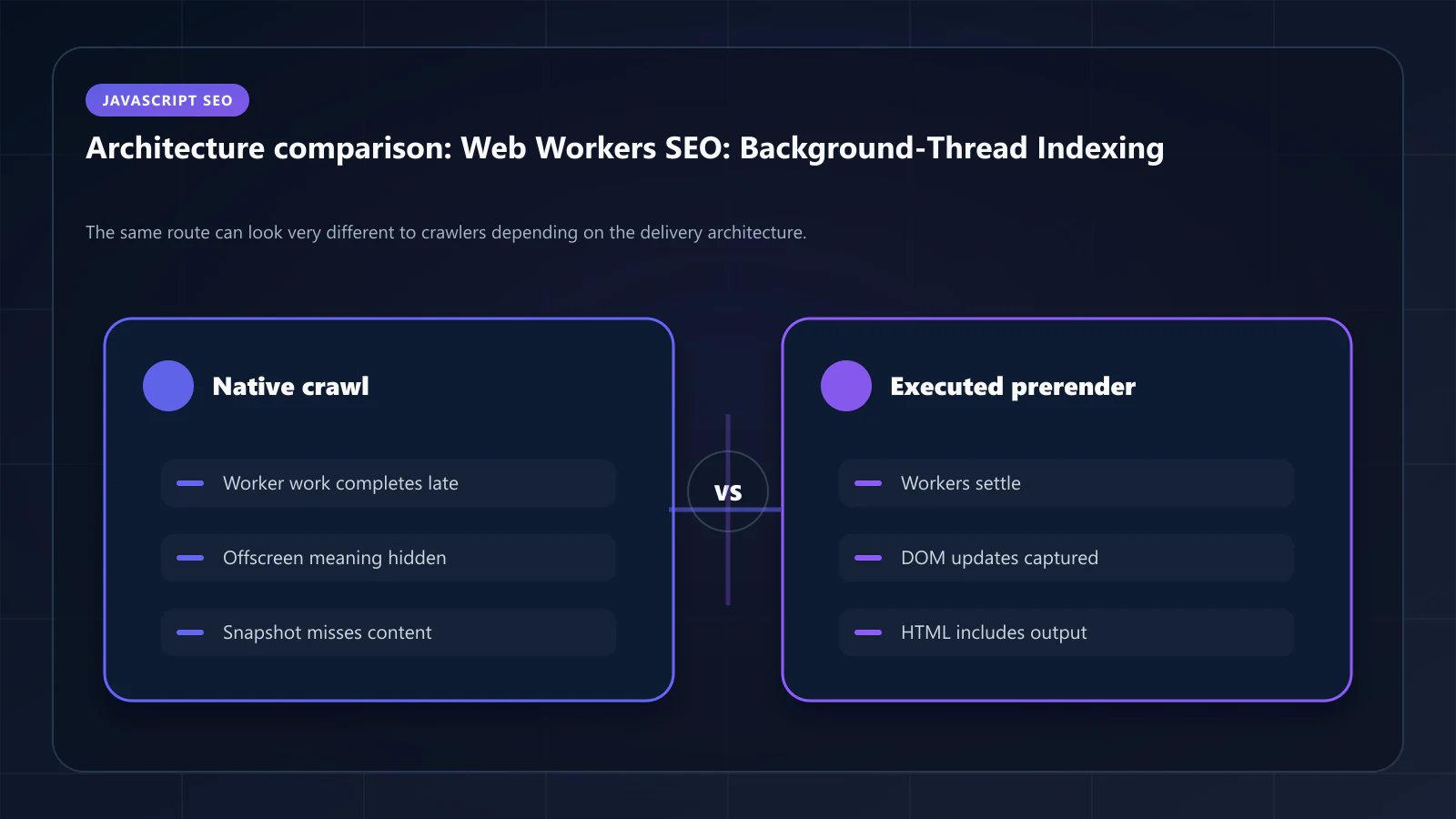
All of this content is generated in a background thread and posted back to the main thread via message passing. Crawlers that do not execute Workers — or that execute Workers but do not wait for the message cycle to complete — index loading states or empty containers instead of the actual content.
Why Standard Crawlers Miss Worker Content
The problem is threefold: execution, timing, and context.
Execution: AI crawlers (GPTBot, ClaudeBot, PerplexityBot) do not execute JavaScript at all in most crawl configurations. They receive the static HTML and parse it. For Worker-dependent pages, that static HTML contains no Worker-generated content. The semantic density for AI crawlers is measured from the static HTML — Worker-processed content does not exist for AI extraction purposes. The implications are described in detail in Semantic Density for AI Crawlers.
Timing: Googlebot executes JavaScript during second-wave rendering but with strict time budgets. Web Workers may require significant time to process data, especially for large datasets. If the Worker has not completed its computation and posted results back to the main thread before Googlebot's rendering budget expires, the indexed content reflects an intermediate state.
Context: Even in headless Chrome, the OffscreenCanvas API — which allows Workers to render graphics off the main thread — produces content in a rendering context that standard snapshot capture misses. Offscreen Canvas rendering requires explicit extraction steps to make its visual output part of the indexed page content.
How Prerendering Handles Worker-Generated Content
Headless Chrome in prerendering mode executes Web Workers and provides mechanisms to wait for their results before capturing the snapshot. The standard pattern uses page.waitForFunction() to pause snapshot capture until Worker-generated content is present in the DOM:
const browser = await puppeteer.launch()const page = await browser.newPage()await page.goto(url, { waitUntil: 'networkidle2' })// Wait for Worker-generated content to appear// The specific selector depends on how the app signals Worker completionawait page.waitForFunction(() => { // Option 1: Wait for a specific data attribute that the Worker sets when done const container = document.querySelector('[data-worker-status="complete"]') return container !== null // Option 2: Wait for content that only exists after Worker processing // const priceMatrix = document.querySelector('.variant-price-matrix') // return priceMatrix && priceMatrix.children.length > 0}, { timeout: 30000 })const html = await page.content()// Capture snapshot after Workers have completedThe waitForFunction timeout must account for Worker computation time. For heavy processing tasks (large product catalogs, geospatial calculations), 30 seconds may be insufficient. A robust implementation uses adaptive timeouts based on page type and data volume, with fallback snapshot capture after a maximum wait that still yields partial content.
Service Workers vs. Web Workers for SEO
These are distinct APIs with different SEO implications:
Web Workers run compute tasks in background threads. Their SEO impact is through the content they generate: product variants, calculated values, processed text. The challenge is ensuring prerendering waits for their output.
Service Workers intercept network requests and can serve cached responses. Their SEO impact is through what Googlebot fetches: a Service Worker that intercepts Googlebot's requests and serves stale cached responses instead of fresh content creates a freshness problem. Prerendering configurations should typically bypass Service Workers to ensure fresh content is fetched during snapshot generation.
// Disable Service Worker registration during prerendering// to ensure fresh content is fetched from origin// In your Service Worker registration code:if (!navigator.userAgent.includes('Prerender')) { navigator.serviceWorker.register('/sw.js')}// In prerendering configuration:await page.setRequestInterception(true)page.on('request', request => { // Block Service Worker registration during prerendering if (request.url().includes('sw.js')) { request.abort() } else { request.continue() }})Blocking Service Worker registration during prerendering ensures snapshot content reflects the live page, not a Service Worker-cached version.
OffscreenCanvas and Background Rendering
OffscreenCanvas allows canvas rendering to happen in a Worker thread, decoupling rendering from the main thread. For SEO purposes, OffscreenCanvas presents the same challenge as regular Canvas — the content is visual pixels, not DOM nodes — compounded by the off-thread execution context.
The solution follows the same pattern as Canvas & WebGL content indexing: extract the semantic data that the OffscreenCanvas is visualizing, and inject it as structured HTML alongside the canvas element.
For a chart rendered in OffscreenCanvas:
- The Worker processes the chart data
- The Worker renders the chart to the OffscreenCanvas
- The Worker also posts the processed data back to the main thread
- The main thread renders the data as an accessible HTML table alongside the canvas
The HTML table is the indexable layer. The OffscreenCanvas provides the visual experience. Both exist simultaneously — one for users, one for crawlers.
Benchmark: Worker-Generated Content Coverage by Crawl Type
The coverage gap between static HTML and fully rendered pages is most pronounced for Worker-heavy pages:
| Content Signal | Static HTML (No JS) | Googlebot (2nd Wave) | Prerendered Snapshot |
|---|---|---|---|
| Product variant prices | Empty | Partial (timeout risk) | Complete |
| Calculated metrics | Loading state | Partial | Complete |
| Geospatial data table | Absent | Absent (Workers skipped) | Complete |
| Worker-processed text | Absent | Partial | Complete |
| OffscreenCanvas data | Absent | Absent | Complete (with extraction) |
The consistent result across Worker content types: only prerendering with explicit Worker wait logic delivers complete content to crawlers.
Implementation Considerations for Worker-Heavy Pages
Snapshot timing signals: The most reliable approach is to have the application signal Worker completion explicitly — via a data attribute, a custom DOM event, or a specific element appearing. Prerendering pipelines can then wait for this signal rather than using time-based waits.
// Application code: signal Worker completionworker.onmessage = function(event) { const { type, data } = event.data if (type === 'VARIANTS_PROCESSED') { renderVariants(data) // Signal completion for prerendering document.documentElement.setAttribute('data-variants-ready', 'true') }}// Prerendering pipeline: wait for the signalawait page.waitForSelector('[data-variants-ready="true"]')TTL configuration: Pages where Worker-generated content changes frequently — live pricing, real-time availability — need shorter snapshot TTLs and event-driven Cache Warming API triggers. When product variants change, the snapshot should be refreshed before Googlebot's next visit.
Timeout budgets: Different page types require different Worker timeout budgets. Product pages with variant matrices might need 15 seconds. Pages with complex geospatial calculations might need 45 seconds. Setting a single global timeout creates a trade-off between thoroughness and rendering cost. A per-template timeout configuration based on page type and data volume is more efficient.
WAF and Network Access for Workers
Web Workers that fetch external data during computation require network access. If a WAF blocks requests from the prerendering pipeline's IP range, Worker data fetches fail silently — the Worker receives no data, posts no results, and the DOM remains empty.
This is a subset of the broader WAF configuration issue covered in WAF Blocking Legitimate Bots: Cloudflare, AWS, and Fastly Configuration. The prerendering pipeline's IP range must have access not just to the main application, but to any API endpoints that Workers call during execution.
Frequently Asked Questions
They can, if Worker-generated content changes frequently and the snapshot TTL is too long. Product pages with real-time pricing computed by Workers need shorter TTLs — typically 1–4 hours — and event-driven cache warming when prices update. The Cache Warming API trigger should be connected to the same event that would cause the Worker to recompute its output.
Yes. Service Workers intercept network requests and can serve cached responses to Googlebot, creating freshness problems if stale content is cached. Web Workers generate content by computation, not request interception. For prerendering, Service Workers should typically be disabled during snapshot generation to ensure fresh origin content is fetched. Web Workers should be allowed to run fully, with prerendering waiting for their output.
Googlebot executes JavaScript during second-wave rendering and can, in theory, receive Worker-generated content. In practice, Worker computation timing, resource budgets, and the rendering queue delay make this unreliable for high-value pages. For acquisition-critical pages where Worker-generated content includes product names, prices, or key specifications, prerendering is the reliable path to consistent indexation.
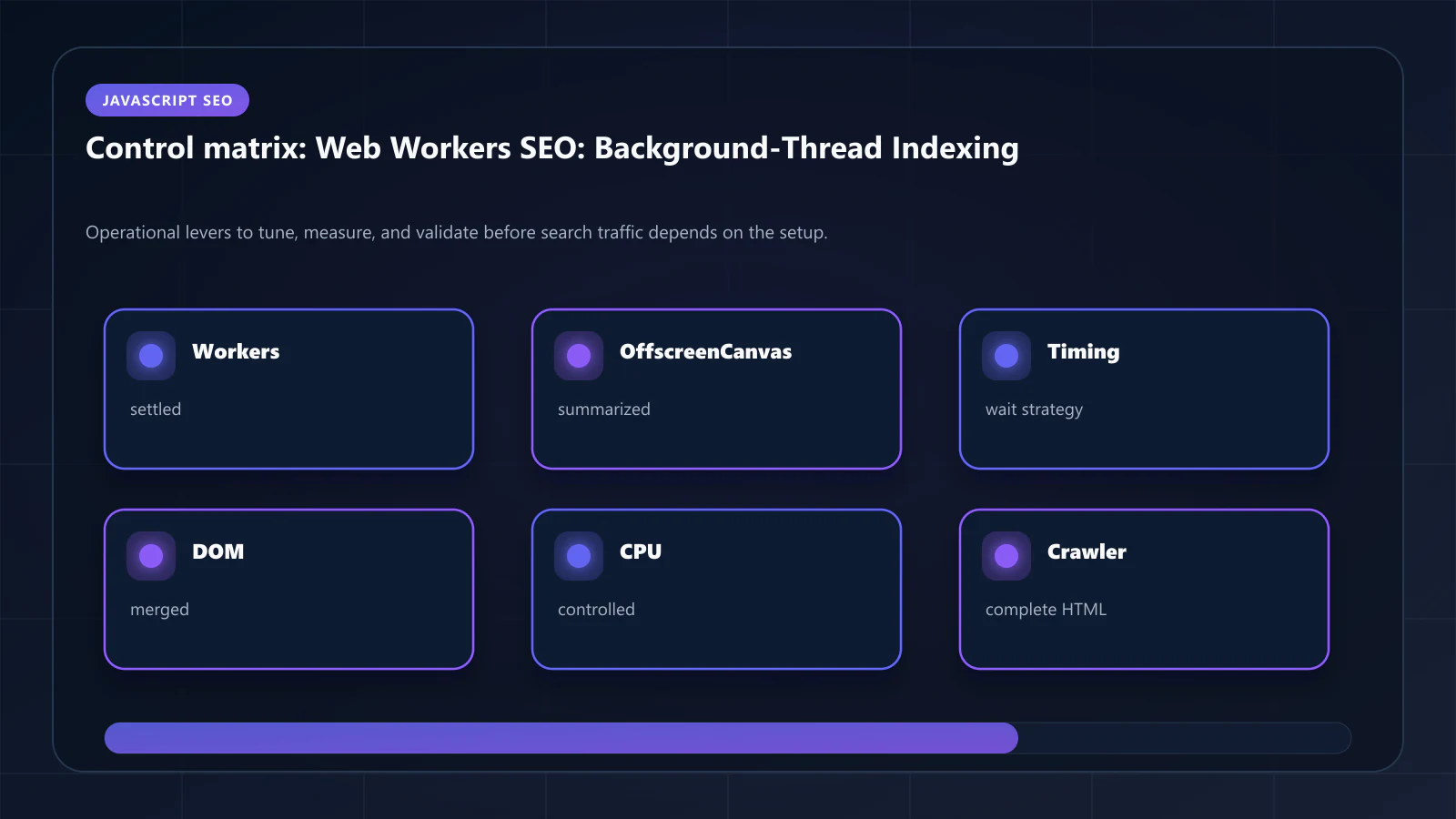
SharedArrayBuffer-based Worker communication requires specific HTTP headers (`Cross-Origin-Opener-Policy: same-origin`, `Cross-Origin-Embedder-Policy: require-corp`). Prerendering pipelines must be configured to handle these headers correctly. Pipelines that fail COOP/COEP checks may not be able to instantiate SharedArrayBuffer-dependent Workers, resulting in missing content in the snapshot. !Raster matrix diagram of operational levers, risks, and validation checks for Web Workers & Offscreen Rendering: Indexing Background-Thread Content for SEO.
Explore the canonical guides
Canvas and WebGL content indexing
The same invisibility problem on a different API.
Shadow DOM v2 and custom elements
Content behind a boundary the crawler does not cross.
Use case - ecommerce
Where worker-computed pricing meets product indexation.
Case study: e-commerce crawl recovery
A 500k-product catalogue worked through end to end.
Editorial trust
Written by prerender Editorial · Engineering Team. We build and run pre-rendering infrastructure for more than 200 engineering teams, which is where the numbers and code samples on this page come from.
Last updated . Editorial scope and review policy: About prerender.info.