
JavaScript SEO
Shadow DOM v2 & Custom Elements Indexation
Shadow DOM and Custom Elements isolate content from crawlers. Prerendering with full JS execution extracts Web Component HTML.

Article
Shadow DOM v2 and Custom Elements create isolated rendering contexts that standard crawlers cannot penetrate without full JavaScript execution. When a page uses Web Components — <product-card>, <price-display>, <review-widget> — the content inside those components exists only after the browser executes the component's JavaScript and attaches the shadow root. Googlebot sees the element tags but not the content they render.
Prerendering is the primary solution for making Web Component content indexable at scale. This guide covers why shadow roots block crawlers, how headless Chrome extraction works, and what implementation decisions affect indexation reliability.
Why Shadow DOM Blocks Standard Crawlers
Shadow DOM v2 allows Web Components to encapsulate their internal DOM in a shadow root that is separate from the main document tree. Closed shadow roots — created with { mode: 'closed' } — are explicitly inaccessible via external JavaScript. Open shadow roots are technically accessible programmatically, but neither type materializes in the static HTML that crawlers receive before JavaScript execution.
When Googlebot receives a page with Custom Elements, it sees the element tags in the document, but the content rendered inside the shadow root only materializes after the component's connectedCallback runs. This requires full JavaScript execution in a browser environment — something that Googlebot does via second-wave rendering, but with significant delays.
The indexation gap looks like this:
<!-- What Googlebot sees in static HTML (no shadow root content) --><product-card data-id="12345"></product-card><!-- What the user sees after JS execution --><product-card data-id="12345"> #shadow-root (closed) <div class="product-name">Blue Running Shoes</div> <div class="product-price">$89.99</div> <div class="product-rating">4.7 stars (342 reviews)</div></product-card>The product name, price, and rating — all indexable signals — are invisible to crawlers reading the static HTML.
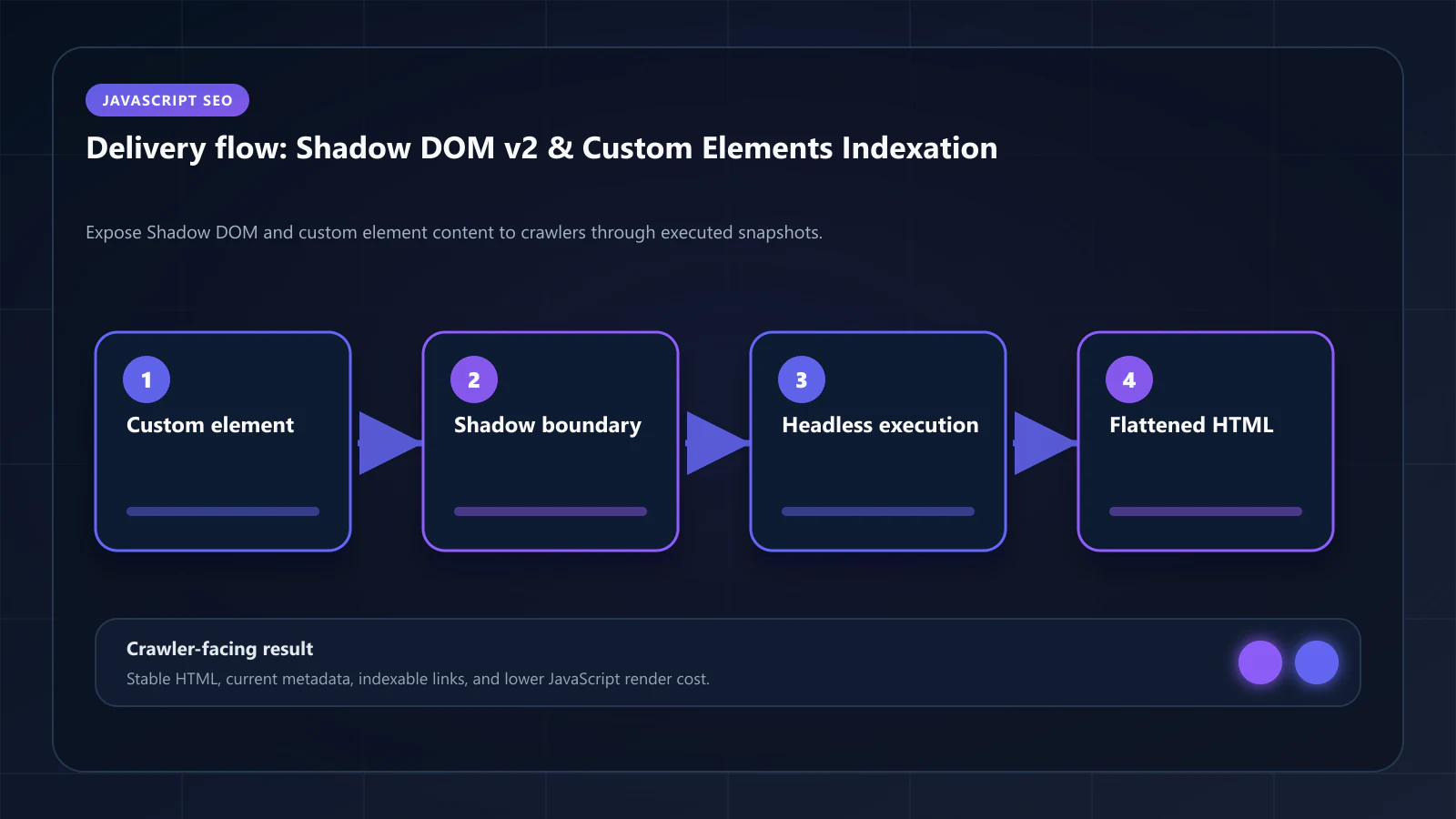
The Second-Wave Rendering Problem
Google's two-wave rendering model processes JavaScript-rendered content in a second pass after the initial crawl. For Custom Elements specifically, this second wave has additional complications:
Component registration timing: Custom Elements must be registered via customElements.define() before they can be instantiated. If the component registration script is large or depends on code-split bundles, it may not complete within Googlebot's rendering resource budget.
Shadow root attachment: Even after registration, the component's connectedCallback must complete before shadow DOM content exists. For components that fetch data before rendering — common in product and pricing contexts — this involves asynchronous operations that may exceed rendering timeframes.
Closed shadow root inaccessibility: For { mode: 'closed' } shadow roots, Google's rendering engine cannot extract the content even when it successfully executes the JavaScript. The closure is enforced at the browser engine level.
The result: product pages built with Web Component architectures often have lower coverage in Google's index than equivalent React or Vue pages, despite having the same visual content for users.
How Prerendering Extracts Shadow DOM Content
Headless Chrome executes the full browser lifecycle when generating a prerendered snapshot: Custom Element registration, shadow root attachment, and connectedCallback execution all occur before the snapshot is taken.
The key step is how the snapshot captures shadow DOM content:
Declarative Shadow DOM serialization: Modern headless Chrome (v112+) supports serializing shadow DOM content to Declarative Shadow DOM format during snapshot capture. This converts the shadow root content into <template shadowrootmode="open"> elements that are part of the regular HTML and parseable by crawlers without JavaScript.
getInnerHTML with shadow root inclusion: Puppeteer's page.evaluate() can call element.getInnerHTML({ includeShadowRoots: true }) to extract the full shadow DOM tree as HTML. Prerendering pipelines that use this approach inject the extracted content as regular HTML in the snapshot.
Data extraction + parallel HTML injection: For closed shadow roots where direct serialization is impossible, the approach is to extract the underlying data from the component's public API or data attributes, and render it as regular HTML elements alongside the component. The Web Component handles the visual rendering; the parallel HTML structure provides the indexable content.
// Prerendering pipeline configuration for Web Component pagesconst page = await browser.newPage()await page.goto(url, { waitUntil: 'networkidle2' })// Wait for Custom Elements to be defined and connectedawait page.waitForFunction(() => { const cards = document.querySelectorAll('product-card') return cards.length > 0 && Array.from(cards).every(card => card.shadowRoot !== null || card.dataset.loaded === 'true')})// Get page HTML with shadow DOM content includedconst html = await page.evaluate(() => { return document.documentElement.getInnerHTML({ includeShadowRoots: true })})The prerendered snapshot contains the component's rendered output as standard HTML — Googlebot reads the complete content without needing to understand Web Components at all.
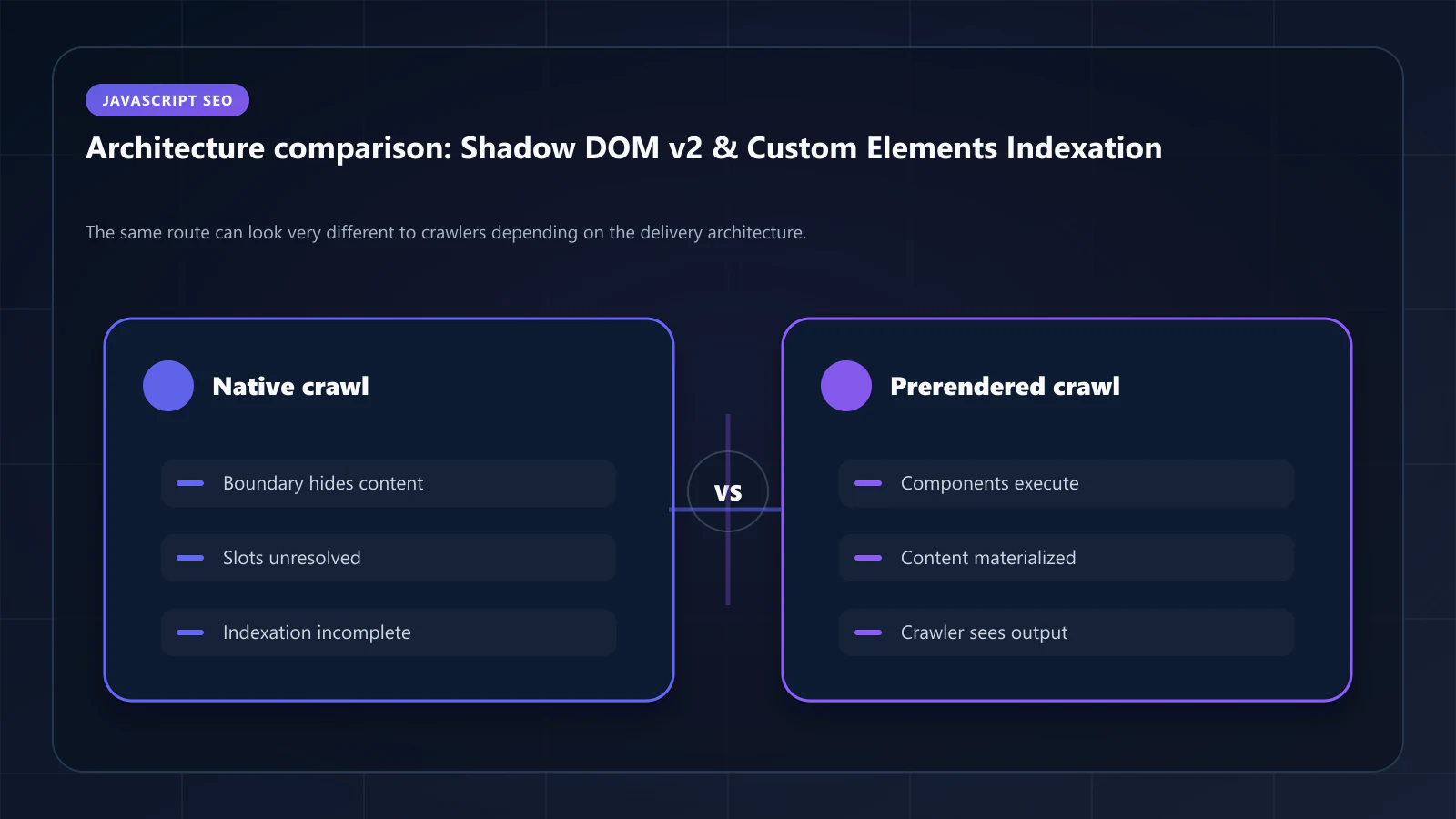
Custom Elements v1 vs. Shadow DOM v2: Indexation Differences
Custom Elements without Shadow DOM:
Custom Elements that render into the main document tree (not into a shadow root) are easier to handle. The element's inner HTML is part of the main document tree and visible to crawlers once JavaScript executes. The only issue is the two-wave rendering delay — which prerendering eliminates.
class PriceDisplay extends HTMLElement { connectedCallback() { // Renders into main document tree — crawlers can read this this.innerHTML = `<span class="price">${this.dataset.price}</span>` }}Custom Elements with Shadow DOM:
When the Custom Element creates a shadow root and renders into it, the content is isolated from the main document tree. Both open and closed shadow roots are invisible in static HTML.
class ProductCard extends HTMLElement { connectedCallback() { const shadow = this.attachShadow({ mode: 'closed' }) // This content is inside the shadow root — invisible to crawlers in static HTML shadow.innerHTML = ` <div class="product-name">${this.dataset.name}</div> <div class="price">${this.dataset.price}</div> ` }}For semantic density optimization, the content inside shadow roots is the highest-value content to extract — it is typically the product, price, and entity data that AI crawlers are evaluating.
Declarative Shadow DOM as an Alternative
Declarative Shadow DOM (DSD) — using the shadowrootmode attribute in HTML — allows server-rendered shadow roots that crawlers can parse without JavaScript:
<!-- Declarative Shadow DOM: shadow content present in static HTML --><product-card> <template shadowrootmode="open"> <style>/* component styles */</style> <div class="product-name">Blue Running Shoes</div> <div class="price">$89.99</div> </template></product-card>DSD is viable for server-rendered applications that generate component HTML on the server. For JavaScript-first applications where component data is fetched client-side, DSD requires server-side data access during HTML generation — the same requirement that makes prerendering a simpler architectural solution for most teams.
Browser support for DSD is strong in current versions of Chrome, Firefox, and Safari. Legacy browser support requires a polyfill.
Schema.org for Web Component Content
Regardless of how shadow DOM content is made visible to crawlers, the structured data representing that content must appear in the prerendered static HTML in JSON-LD form.
For product pages built with Web Components, the Product schema should reflect the data from the component's shadow root:
{ "@context": "https://schema.org", "@type": "Product", "name": "Blue Running Shoes", "offers": { "@type": "Offer", "price": "89.99", "priceCurrency": "USD", "availability": "https://schema.org/InStock" }, "aggregateRating": { "@type": "AggregateRating", "ratingValue": "4.7", "reviewCount": "342" }}This JSON-LD must be in the prerendered HTML — not generated by the Web Component itself, which would place it inside the shadow root and invisible to crawlers. The JSON-LD should be a server component or static injection that mirrors the shadow DOM content. The non-visual elements prerendering article covers how to ensure JSON-LD is present in prerendered snapshots.
Measuring Web Component Coverage in the Crawl
After deploying prerendering for pages with Web Components, verify extraction using these checks:
View Page Source vs. DevTools comparison:
- Page Source shows the prerendered snapshot (what Googlebot receives)
- DevTools Elements panel shows the fully rendered DOM including shadow roots
- Every product name, price, and key data point visible in DevTools should also appear in Page Source
Google Search Console URL Inspection:
- Use "Test Live URL" to see what Googlebot renders
- Compare the rendered HTML against the prerendered snapshot
- Shadow DOM content visible in the rendered HTML confirms extraction is working
Entity coverage audit:
- Count unique entity mentions in the prerendered HTML vs. the rendered DOM
- The gap indicates shadow DOM content that is not being extracted
- Target: less than 10% entity coverage gap between prerendered HTML and fully rendered DOM
Coverage gaps that persist after prerendering deployment typically indicate either a snapshot timing issue (the component hadn't finished rendering when the snapshot was taken) or a closed shadow root that requires the data extraction + parallel HTML approach.
Frequently Asked Questions
Declarative Shadow DOM allows server-rendered shadow roots that crawlers can parse. It requires explicit server-side implementation and not all component frameworks support it natively. For client-side component trees with server-fetched data, DSD and prerendering are complementary — DSD provides the architectural pattern, prerendering provides the infrastructure that makes it work for dynamic data.
Google processes Custom Elements when executing JavaScript during second-wave rendering, but the rendering queue delay means content may not be indexed for days after publication. For high-value product and landing pages, that delay is commercially significant. Prerendering provides deterministic, immediate indexation — the content is available from the first crawl visit.
Lit and Stencil generate Custom Elements with shadow DOM. Both frameworks support server-side rendering — Lit via `@lit-labs/ssr`, Stencil via its built-in SSR support. Applications using these frameworks have two options: implement SSR for shadow DOM content, or deploy prerendering. For codebases where SSR is not immediately feasible, prerendering is the faster path to indexation coverage.
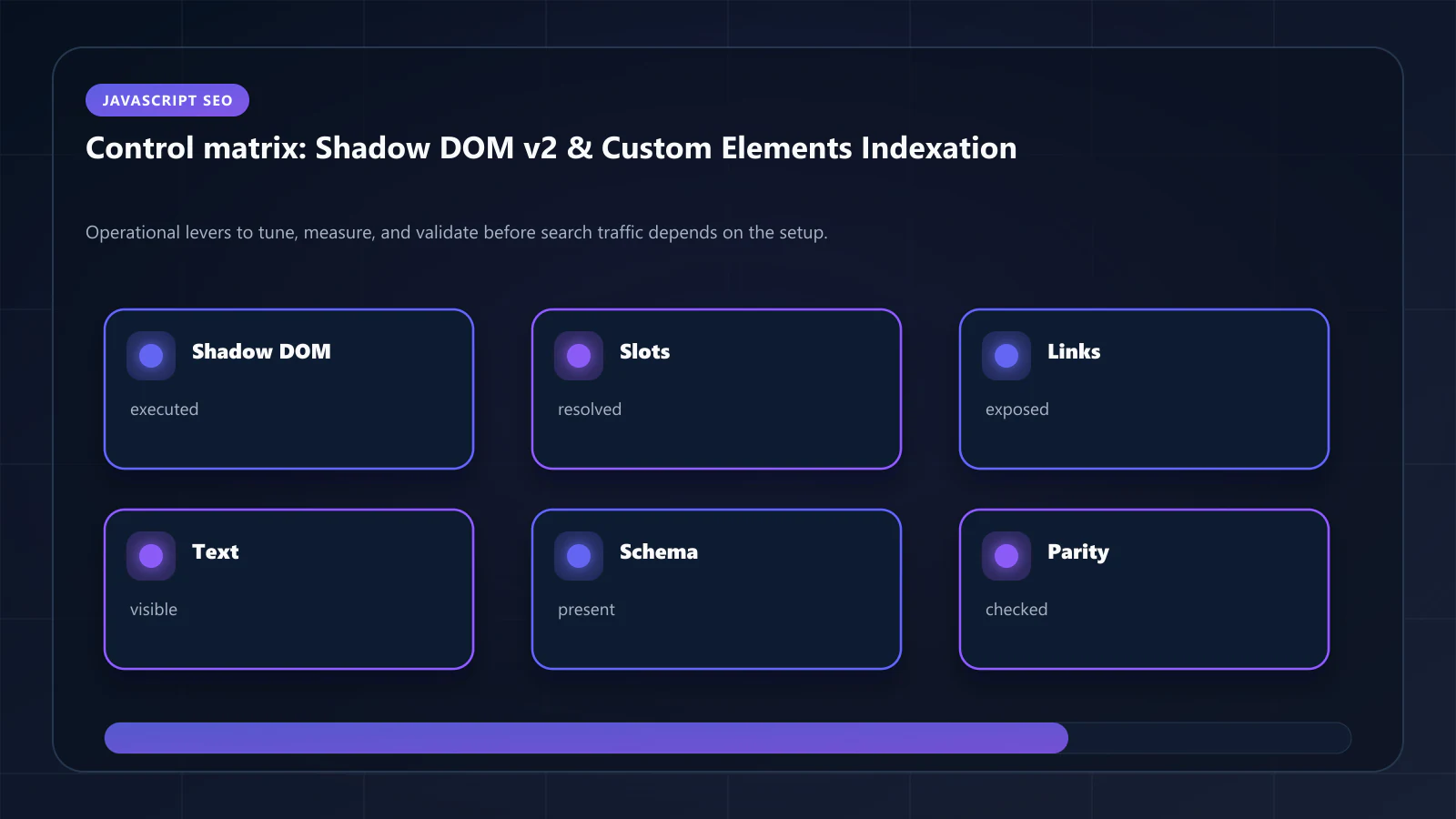
Not by extracting the shadow root content directly — the closure is enforced at the browser engine level. The solution is extracting the underlying data that populates the shadow root (from data attributes, public component APIs, or the data source) and rendering it as regular HTML. This is architecturally identical to the Canvas/WebGL data extraction pattern covered in Canvas & WebGL content indexing. !Raster matrix diagram of operational levers, risks, and validation checks for Shadow DOM v2 & Custom Elements: How to Index Web Components for SEO.
Explore the canonical guides
Editorial trust
Written by prerender Editorial · Engineering Team. We build and run pre-rendering infrastructure for more than 200 engineering teams, which is where the numbers and code samples on this page come from.
Last updated . Editorial scope and review policy: About prerender.info.